
Upscale an image to 4K in four steps
Works in a browser on a phone or a computer. Nothing to install.
Check the size you have
Look up the width and height in your phone's photo info or your computer's file info. Multiply the long edge by 2 and by 4. If 2× already reaches 3840 px, 2× is enough; if not, pick 4×.
Upload the original file
Open the Image Upscaler and upload JPG, PNG, WEBP or HEIC, up to 20 MB. Use the file from your camera or the first download, not a screenshot or a copy sent through a chat app: those are smaller and compressed again.
Pick 2× or 4× and run it
The options panel shows the exact output size before you run. 2× costs 1 credit, 4× costs 2. Leave Face restore off unless a face is too blurry to recognize, because it smooths skin. Pro 4× (10 credits) uses a different model that invents less; it suits larger photos more than small ones.
Check at 100% and download
Drag the handle to compare with your original, zoomed in. Look at text, logos and faces. Download the full-size PNG; there is no watermark, and a failed run returns the credits.
What size you get at 2× and 4×
Common starting sizes and the result the upscaler returns. Bold sizes are 4K or larger.
| Starting size | 2× (1 credit) | 4× (2 credits) | Free 2× without an account |
|---|---|---|---|
| 640 × 480 | 1280 × 960 | 2560 × 1920 | 1280 × 960 |
| 960 × 540 | 1920 × 1080 | 3840 × 2160 | 1920 × 1080 |
| 1280 × 720 | 2560 × 1440 | 5120 × 2880 | 2560 × 1440 |
| 1920 × 1080 | 3840 × 2160 | 7680 × 4320 | 3770 × 2120 |
| 3000 × 2000 | 6000 × 4000 | 8192 × 5460 | 3464 × 2308 |
| 4032 × 3024 (12 MP phone photo) | 6144 × 4608 | 8192 × 6144 | 3264 × 2448 |
The longest output edge is 8192 px. To stay under it, the upload is scaled to 3072 px on the long edge for 2× and to 2048 px for 4×, before it is enlarged. Without an account, uploads are first scaled to 2 megapixels, which is why a 1920 × 1080 photo comes back just under 4K.
What counts as 4K
4K on a TV or monitor is 3840 × 2160 (also called UHD), four times the pixels of 1080p. Cinema 4K is slightly wider, 4096 × 2160. When people ask for a 4K photo, they usually mean about 3840 px on the long edge.
To fill a 4K screen edge to edge, a landscape photo needs to be at least 3840 px wide and 2160 px tall. A 3:2 or 4:3 photo is taller than the screen, so it will be cropped or shown with bars, whatever its size.
For print, size is what matters, not the label. At 300 dpi, 3840 px covers about 12.8 inches. For a larger print at that sharpness you need more pixels, which 4× gives on most photos, up to 8192 px.
4K from an upscaler is a size, not a promise of detail. The model draws edges, hair and texture that fit the photo. It looks like a sharper photo, but small details are its best guess, not what the camera saw.
What 4× does at 100%
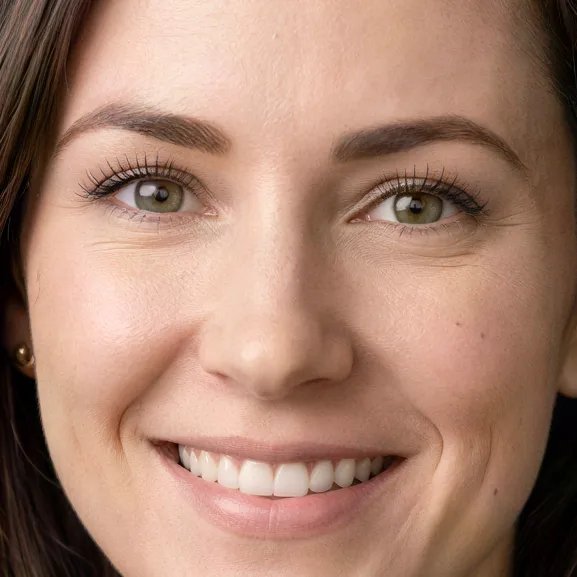
Each input was 512 px on the long edge. The crops are shown at full size. Drag the handle to compare.
 BeforeAfter
A business headshot enlarged 4×. Freckles and fine lines are kept, without waxy skin. 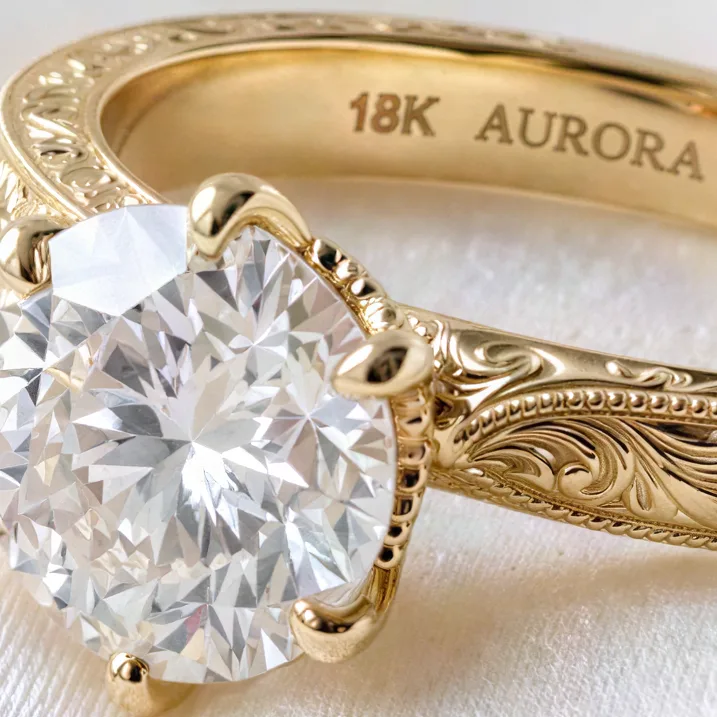 BeforeAfter
A ring photo enlarged 4×. The engraving was a few pixels tall in the input and is readable in the result. 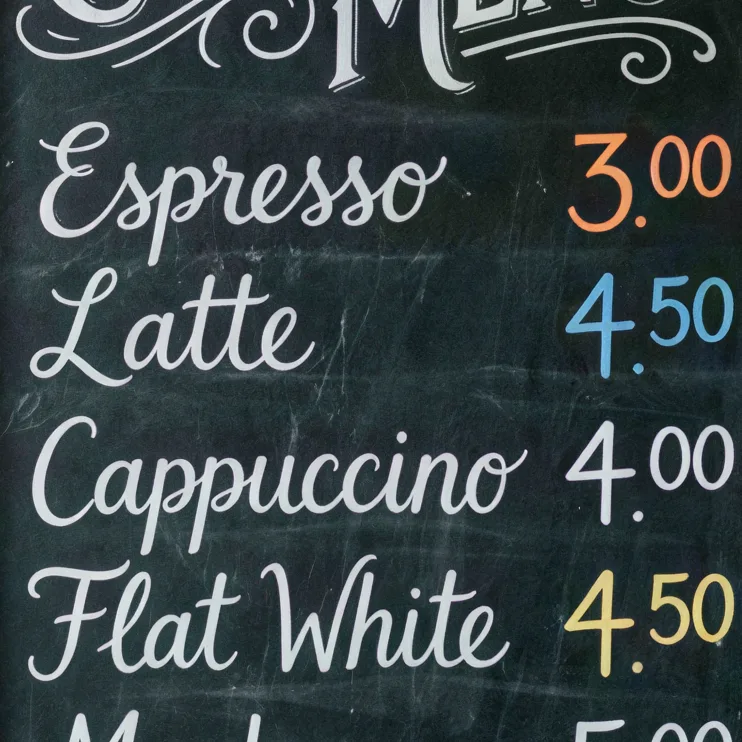 BeforeAfter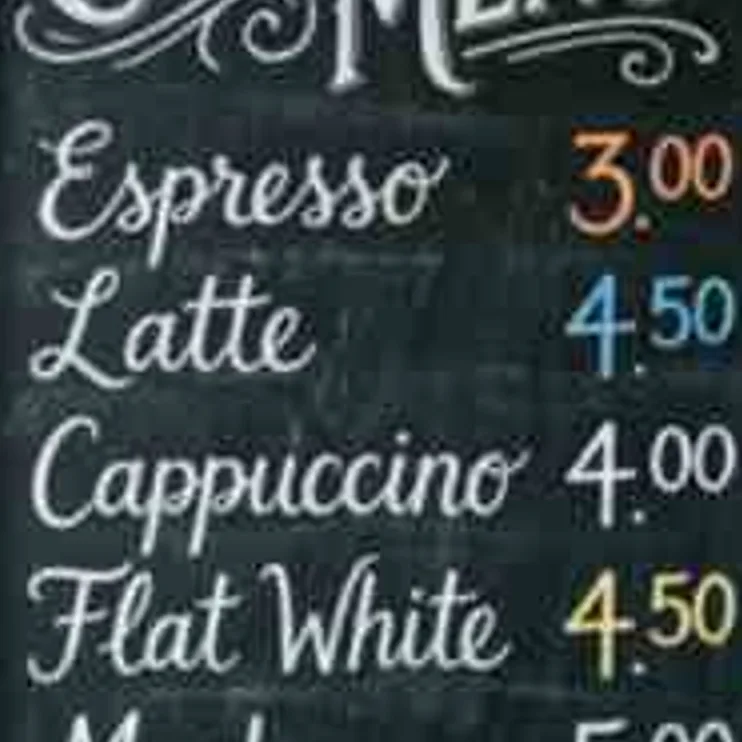
A chalkboard menu enlarged 4×. The prices and item names come back readable.  BeforeAfter
A low-quality JPEG of a puppy. The blocky fur and lawn are rebuilt instead of enlarged.
2×, 4× or Pro 4×
| 2× | 4× | Pro 4× | |
|---|---|---|---|
| Cost | 1 credit | 2 credits | 10 credits |
| Without an account | Yes, 3 a day | No | No |
| Largest upload used | 3072 px long edge | 2048 px long edge | 2048 px long edge |
| Largest result | 6144 px | 8192 px | 8192 px |
| Model | SeedVR2 | SeedVR2 | Topaz |
| Best for | Photos already close to the size you need | Small photos, thumbnails, screenshots, AI art | Larger photos where you want fewer invented details |
On a small, compressed 512 px menu, Pro 4× came out softer than standard 4× in our comparison, so we suggest standard 4× for small inputs.
Five tips for a cleaner 4K result
Start from the largest copy you have
The upscaler adds detail, but it works from what is there. An original camera file beats a download, and a download beats a screenshot.
Crop first, then upscale
The size limits apply to the whole upload. If you only need part of a large photo, crop to it first so that part keeps more of its pixels.
Restore old prints before you enlarge them
Scratches, tears and faded color are enlarged along with the photo. Run Photo Restoration first, then upscale the result.
Pick 4× for small print and text
On a honey jar label, 2× turned a tiny weight line into made-up letters while 4× kept it. Small text can still change from run to run, so read it.
Leave Face restore off for normal portraits
It rebuilds eyes on very blurry faces but also removes freckles and fine lines, and in one test it changed brown eyes to grey-green. Turn it on only when a face is too blurry to recognize.
What upscaling to 4K cannot do
- New detail is drawn, not recovered. Hair, text, leaves and textures are generated to fit the photo. Do not use an upscaled image as evidence or for ID photos and documents.
- Tiny text can change. Names, prices and numbers that were only a few pixels tall can come back as different letters. Check them before you print.
- Free runs stop just short of 4K on 16:9 photos. Without an account, uploads are scaled to 2 megapixels first, so a 1920 × 1080 photo comes back at 3770 × 2120. Signed in, the same photo comes back at 3840 × 2160 for 1 credit.
- Strong motion blur and missed focus are only partly fixed. The upscaler is built for blur from low resolution and compression.
- 8192 px is the limit. Very large photos are scaled down before they are enlarged, so upscaling a 12 MP photo at 4× redraws it from a 2048 px copy.
Questions about upscaling to 4K
Without an account you can run 2× free 3 times a day, with uploads scaled to 2 megapixels, so a 16:9 photo reaches at most 3770 × 2120. For full 3840 × 2160, sign up: a free account starts with 10 credits and no card, and 2× of a 1920 × 1080 photo costs 1 credit. After that, packs start at $9.99 for 100 credits that never expire.
At 4×, a photo needs to be 960 px wide to reach 3840 px. Smaller photos come out under 4K. A 512 px photo at 4× is 2048 px.
Yes, close to it. A 3840 × 2160 photo at 4× is first scaled to 2048 × 1152 and comes back at 8192 × 4608, which is wider than 8K UHD (7680 × 4320). A 1920 × 1080 photo at 4× comes back at exactly 7680 × 4320.
No. The 8192 px limit and the upload sizes are the same on every account. Paying gives you more credits, and Pro 4× costs the same 10 credits for everyone.
Menus, labels and posters came back readable in our tests. Very small print can turn into made-up letters, so check names, prices and numbers.
The shapes, colors and layout come from your photo. Fine detail such as hair, text and texture is drawn by the model. Keep the original file next to the upscaled one.
Last checked Oct 24, 2026 First published. Sizes, limits and prices checked against the upscaler's settings, October 2026.