Remove People from Photos with AI
Type who should go, such as “the tourists behind her”, and the AI removes them and fills in the scene behind. Leave the box empty to clear everyone behind the main subject. The person you kept and every pixel the edit did not change stay your original.
- 10 free credits at sign-up
- 2 credits a photo
- No watermark
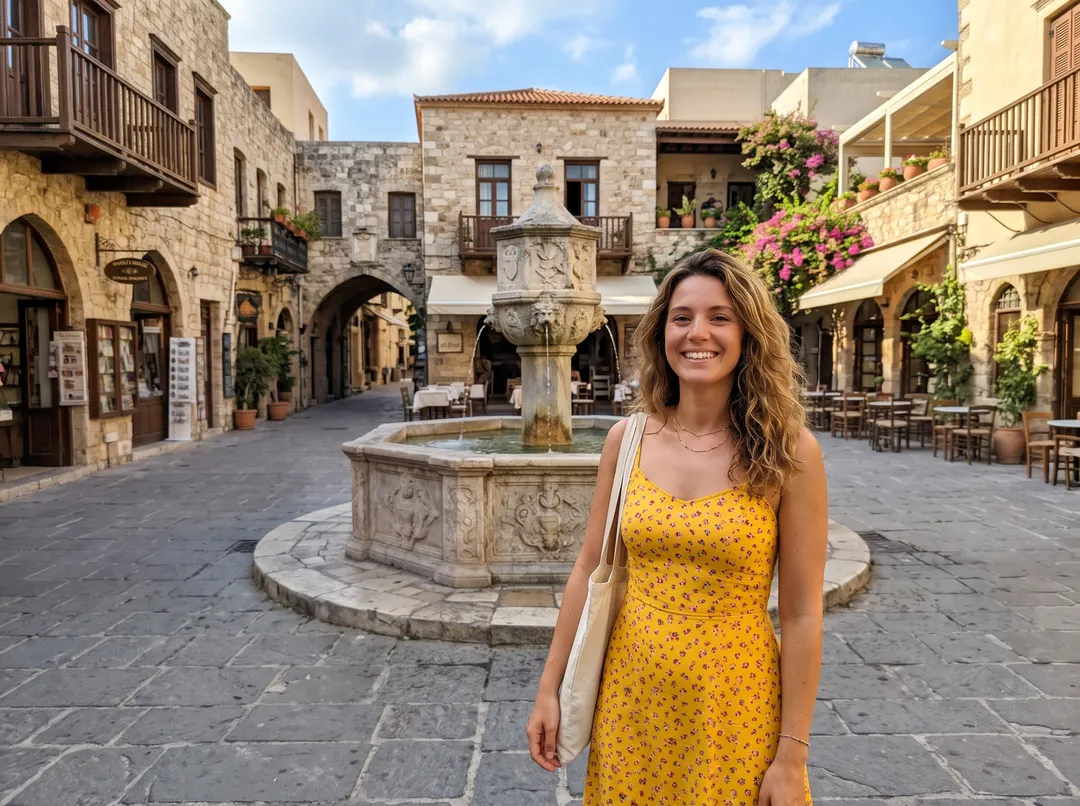
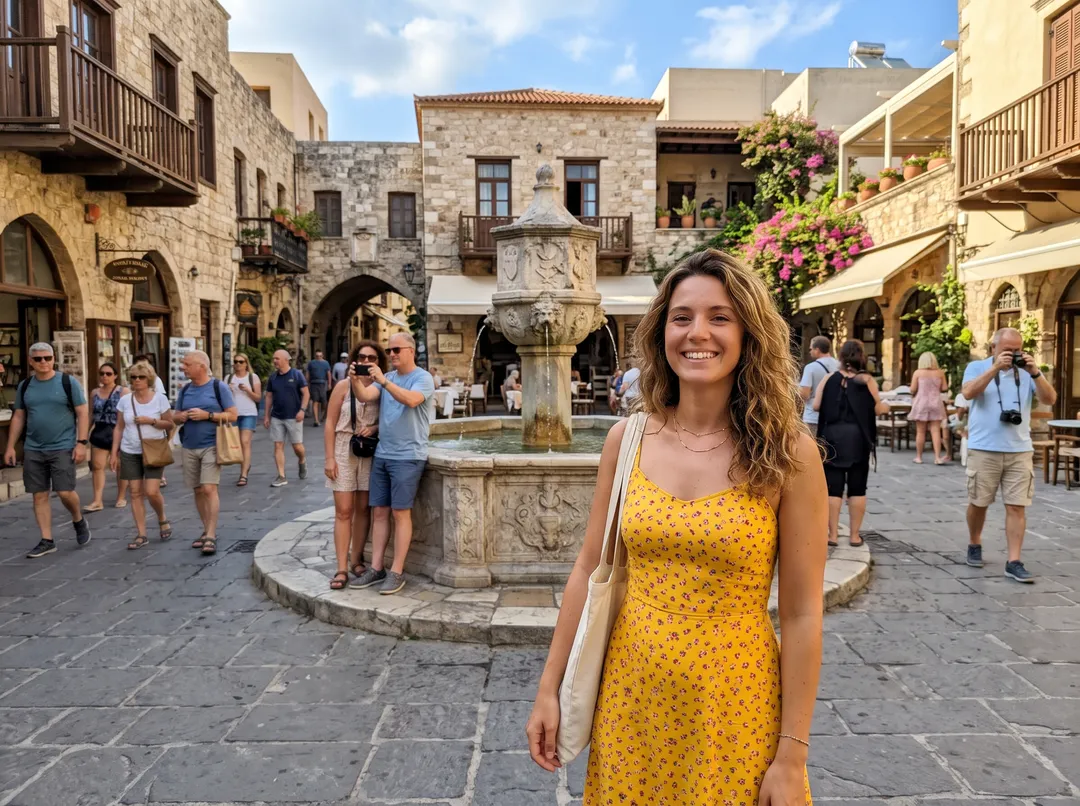
Prompt“all the tourists behind her”
- Type who goes, or brush
- Your subject kept as shot
- Unchanged pixels stay original
- Credits back if it fails
- Model: Nano Banana 2
24 crowded photos, cleared
Travel spots, beaches, city streets, events, nature and places emptied out completely. Each one shows what was typed in the box. Drag the handle to compare.
Five crowds people want out of their photos
Each example is a real photo, the exact words typed and the real result. Drag the handle to compare.
Remove tourists from travel photos
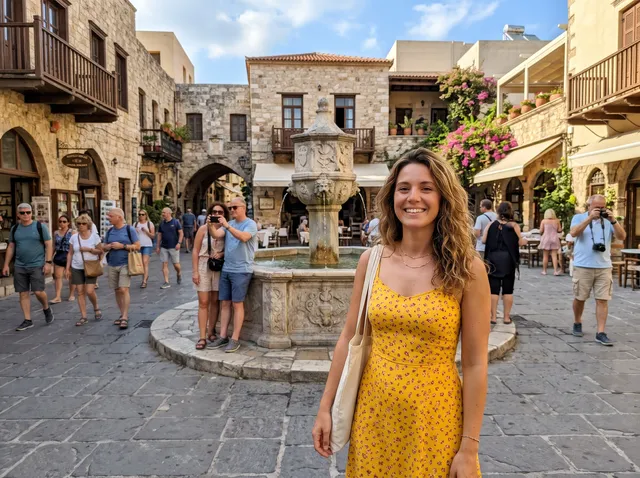
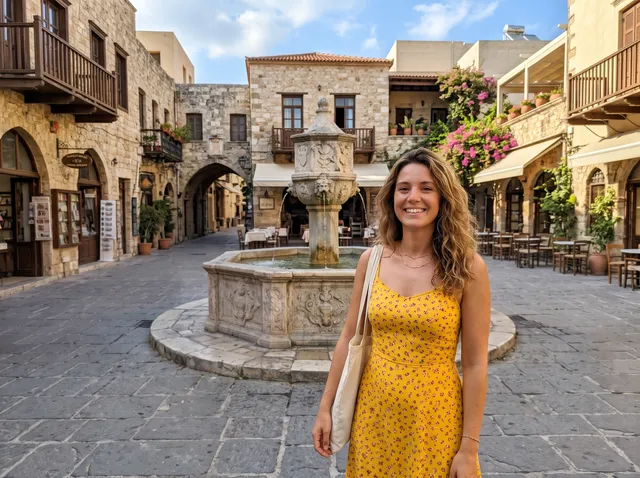
In a famous square you get the fountain, the balconies and a dozen strangers in shorts. Type “all the tourists behind her” and they are removed together: the people at the fountain, the couple walking past and the man with the camera. The cobbles, the café chairs and the arches are filled in where they stood. The woman in front is not part of the edit, so her face and dress are your original pixels.
Remove a photobomber in one line
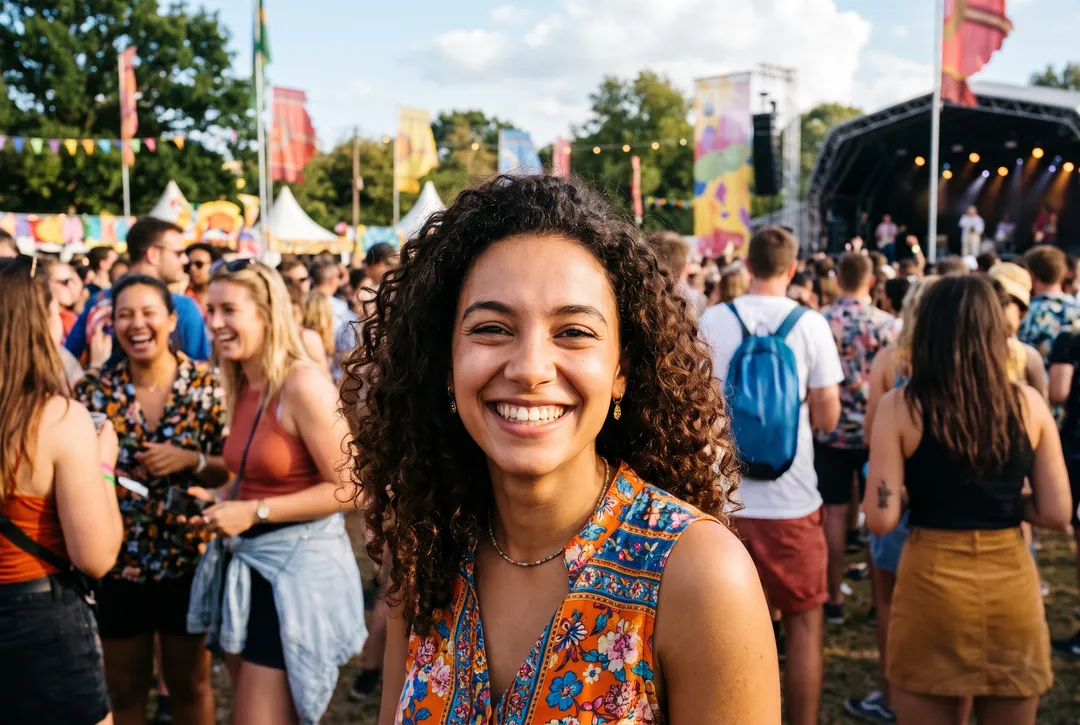
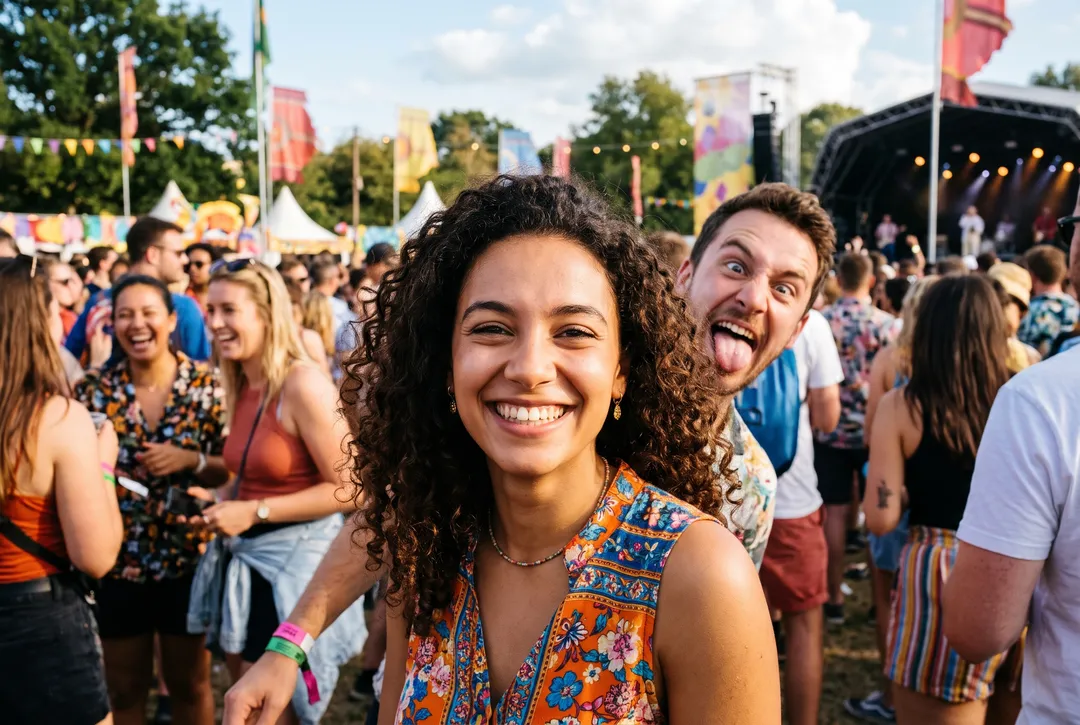
A stranger pulling a face over your shoulder ruins an otherwise good shot. Name them, here “the stranger making a face behind her”, and only that person goes. The crowd further back stays, because you did not ask for it to go. Being specific is what decides who stays.
Clear a crowd and keep the person you want
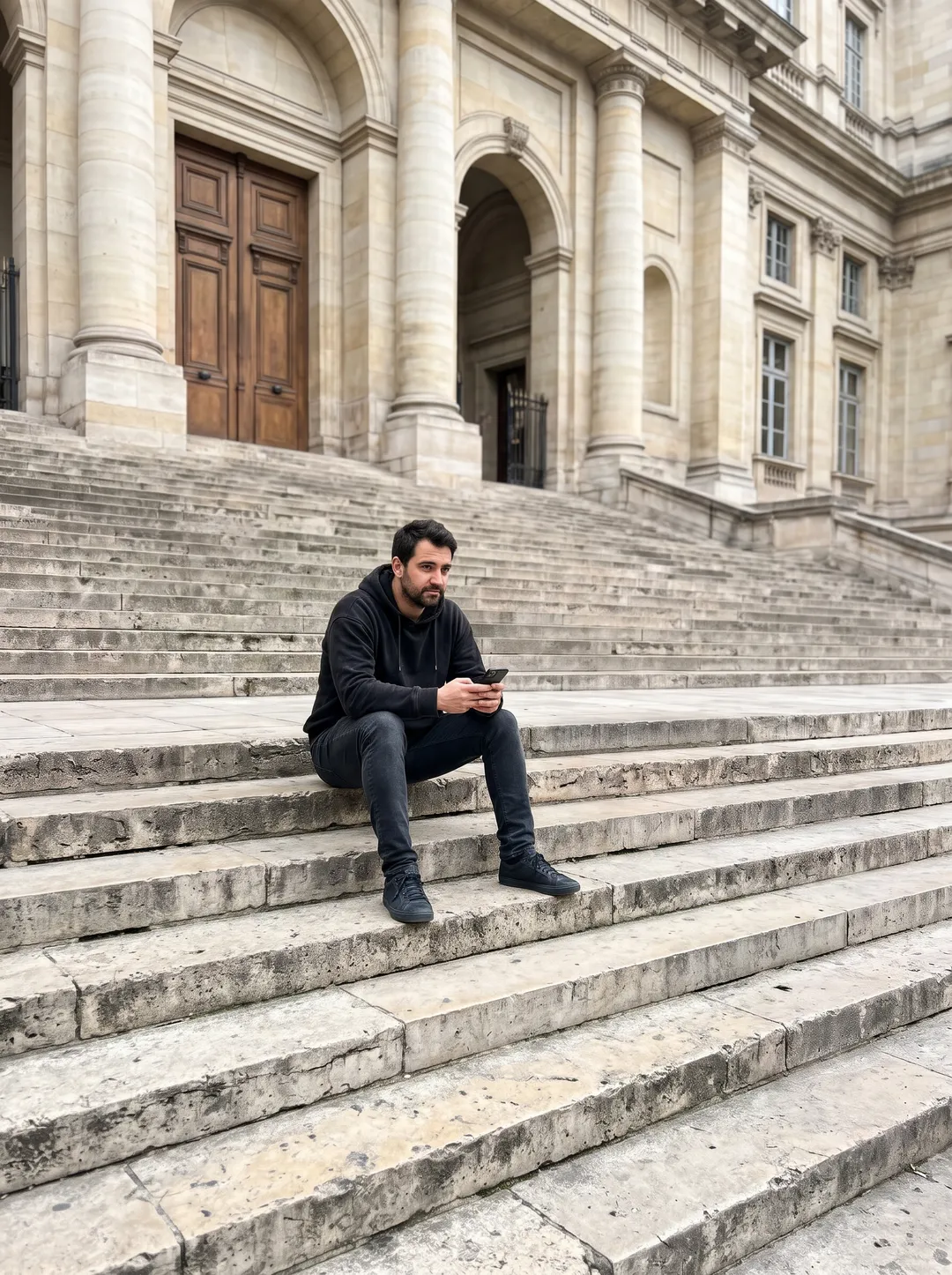
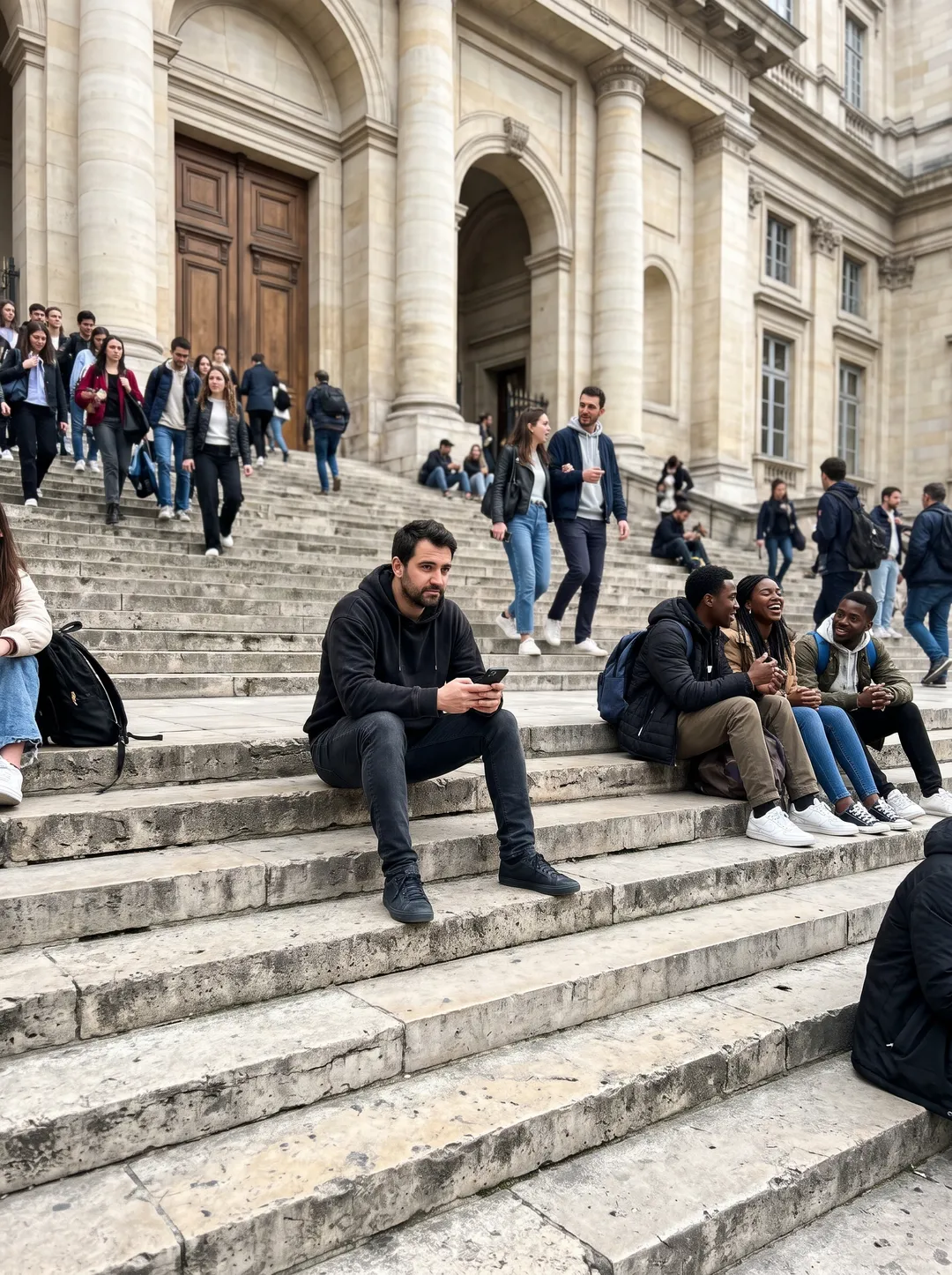
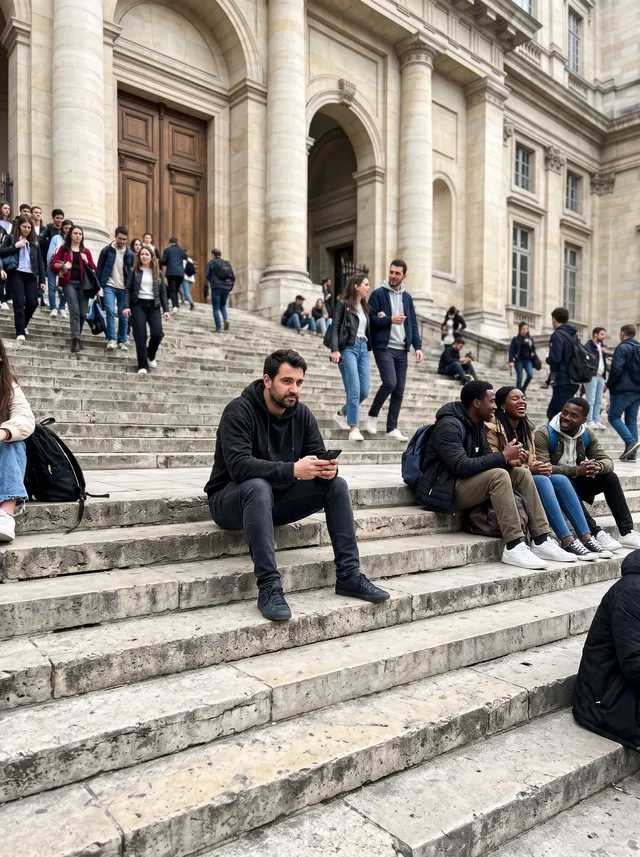
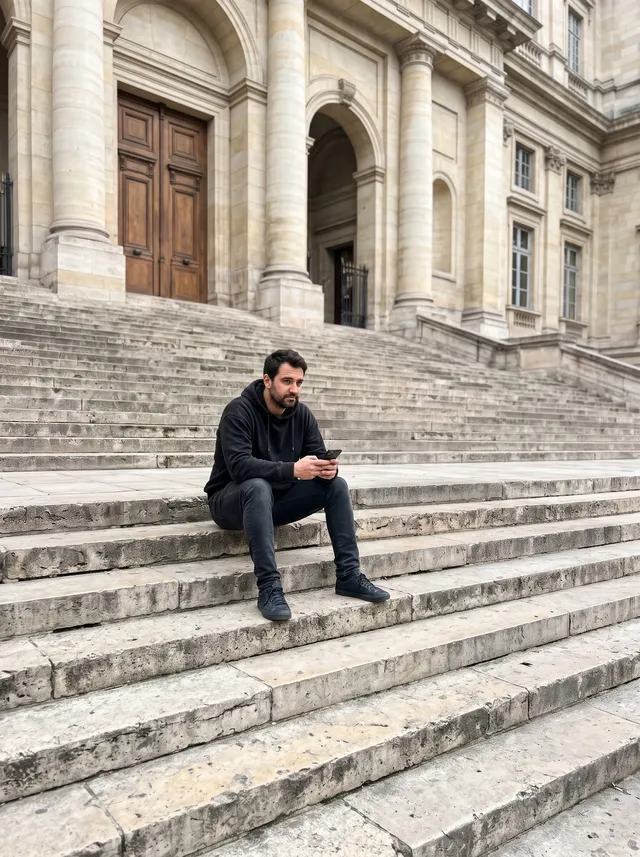
When the person you want to keep is not in front, say who stays. “Everyone on the steps except the man in the black hoodie” removed more than twenty people sitting and walking on the steps and left him where he was. The steps, the railings and the shadows are rebuilt so the stairs look quiet.
Get an empty street or plaza
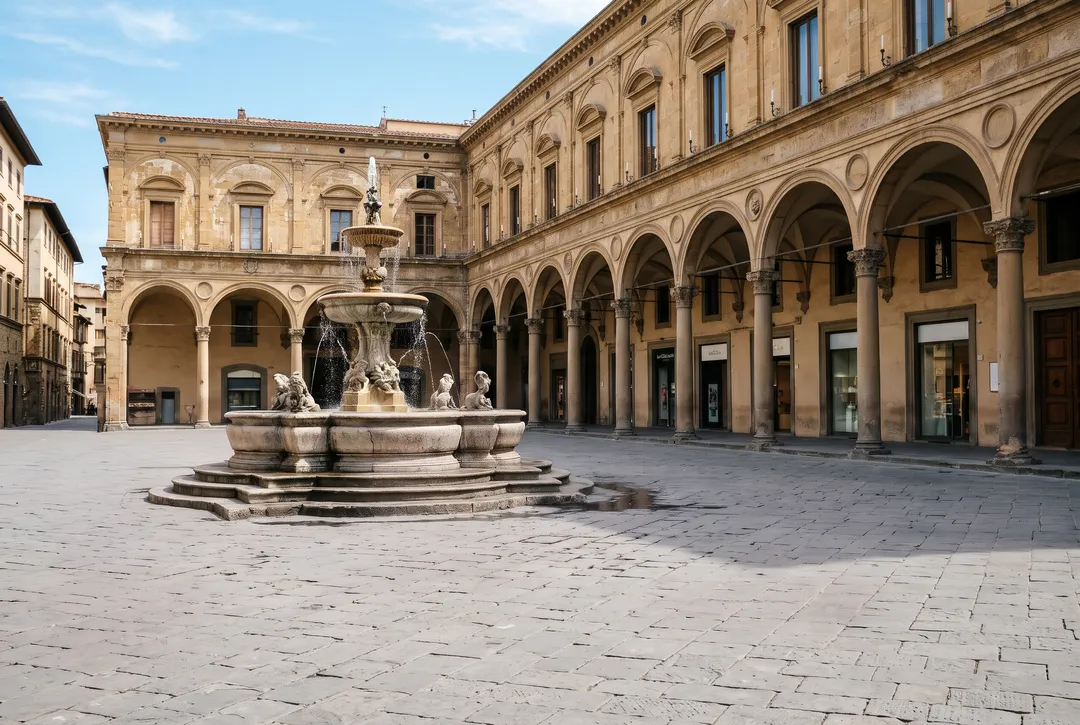
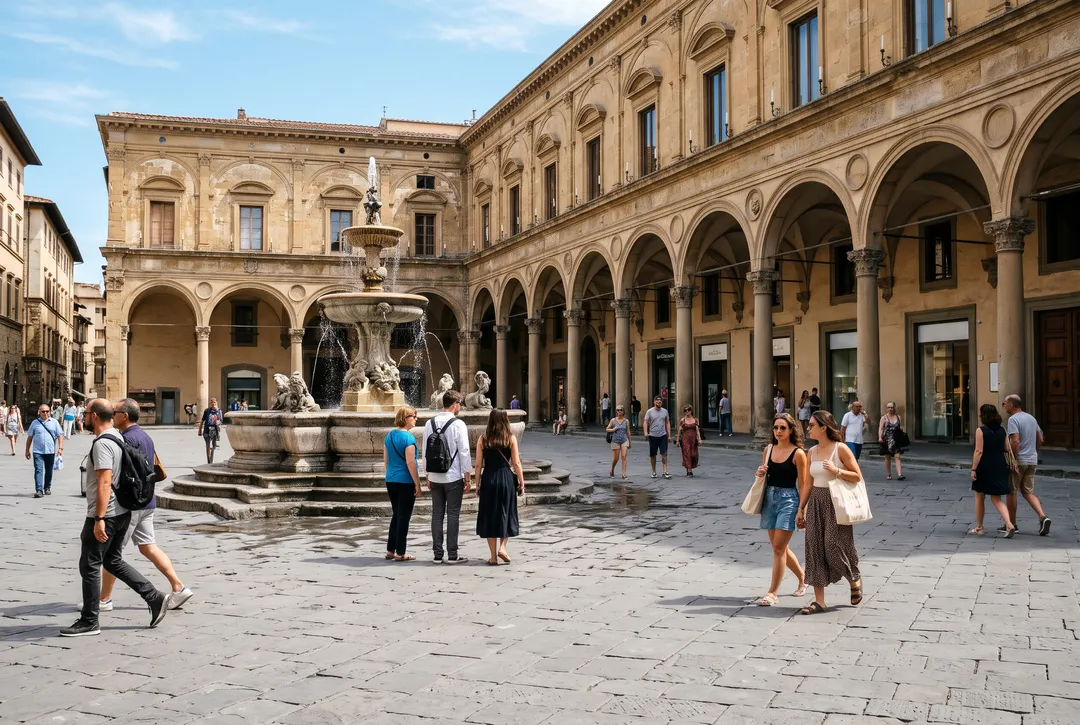
Architecture and travel shots often look best with nobody in them. Type “everyone, leaving the plaza empty” and about twenty people go at once, along with their shadows on the paving. Use it for a postcard-style shot, a background plate or a quiet version of a busy landmark.
Remove people from water, with their reflections
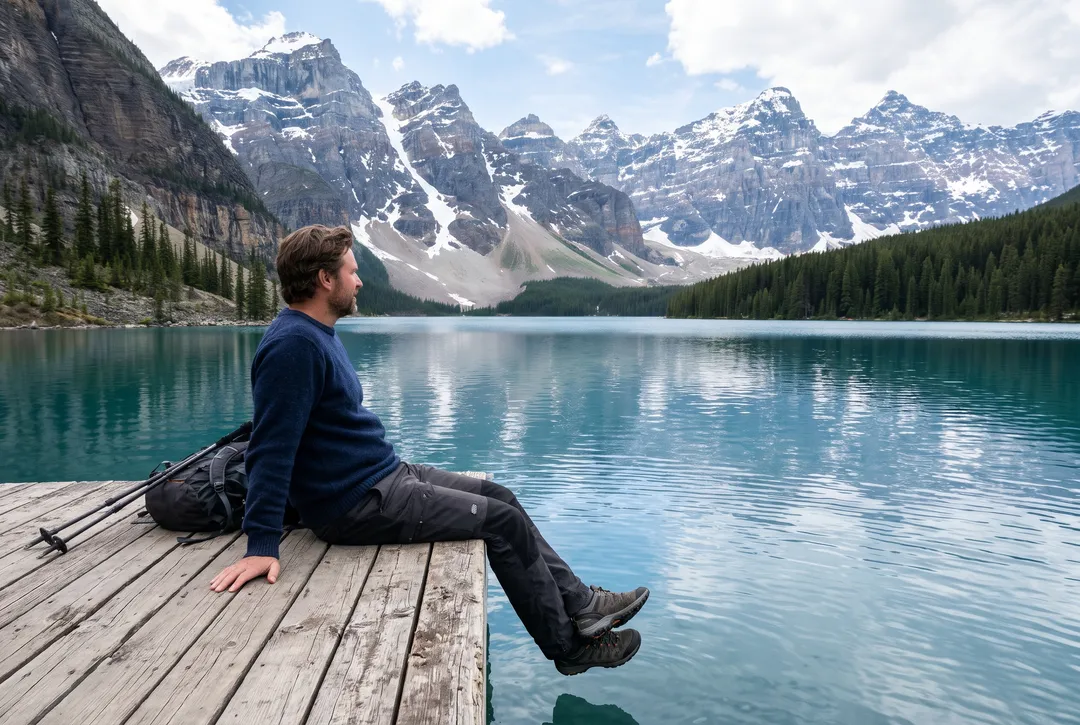
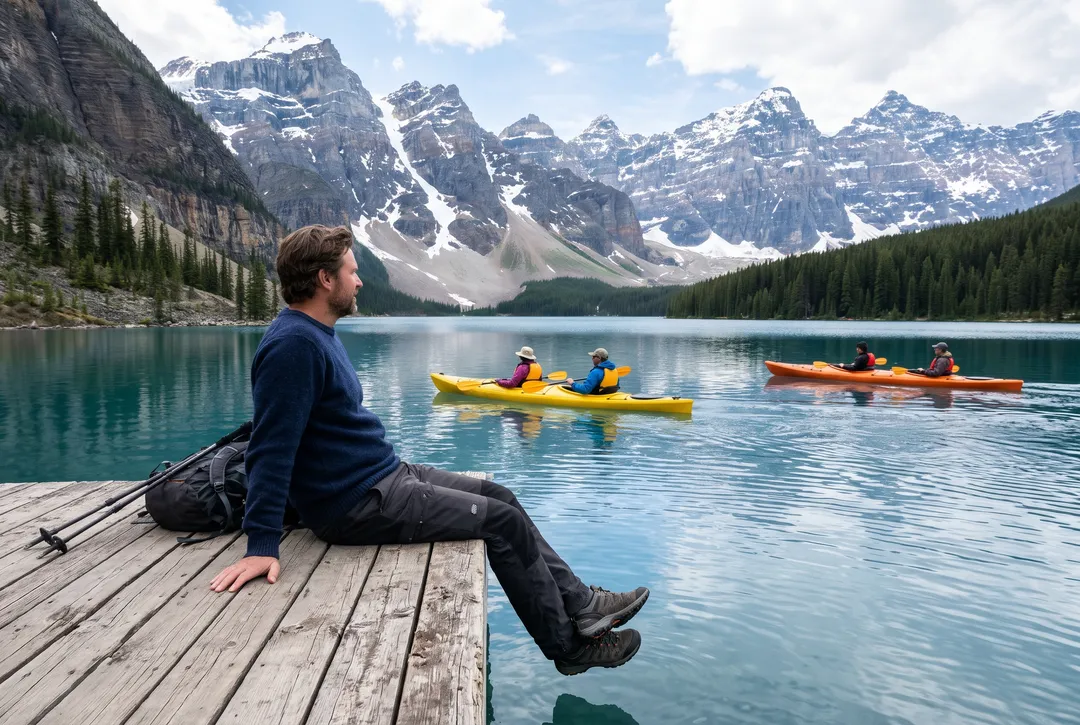
Removing someone from a lake or a beach means rebuilding what they hid: the water, the ripples and the reflection of the mountains. Here two kayaks with their paddlers were removed, and the reflection was redrawn across the gap so the lake reads as one surface. The man on the dock was not mentioned and was kept.
How to say who should go
The words in the box decide what changes. These four habits came out of our 24 test photos. Hover a card to see the result.
 OriginalResult1
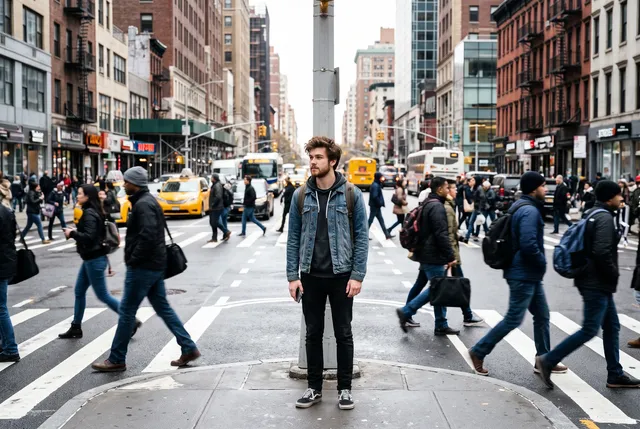
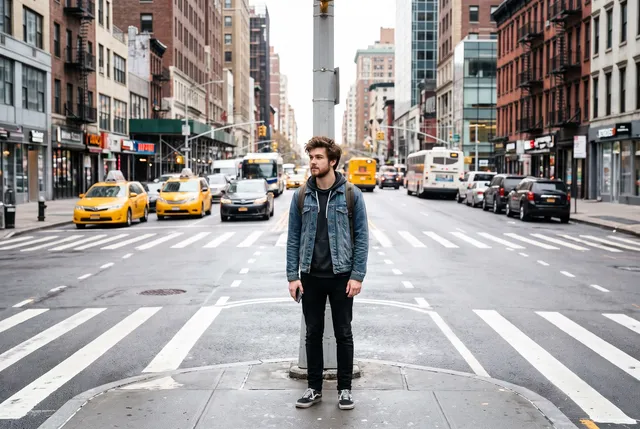
Name every person you can see
Prompt “the commuters crossing the street, including the woman walking on the left and the man walking on the right”
Say where each one is, such as the woman on the left and the man on the right.
A general “the commuters” can leave one person at the edge behind.
 OriginalResult2
Say who stays, if not obvious
Prompt “everyone on the steps except the man in the black hoodie”
“Everyone except the man in the black hoodie”, with clothing that tells him apart.
Assuming the model knows which person is yours.
 OriginalResult3
Include what belongs to them
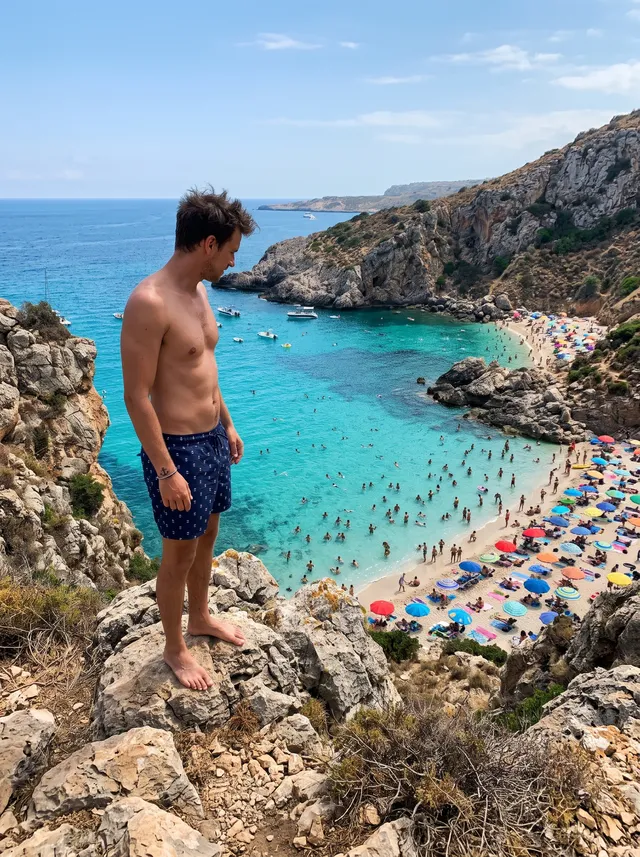
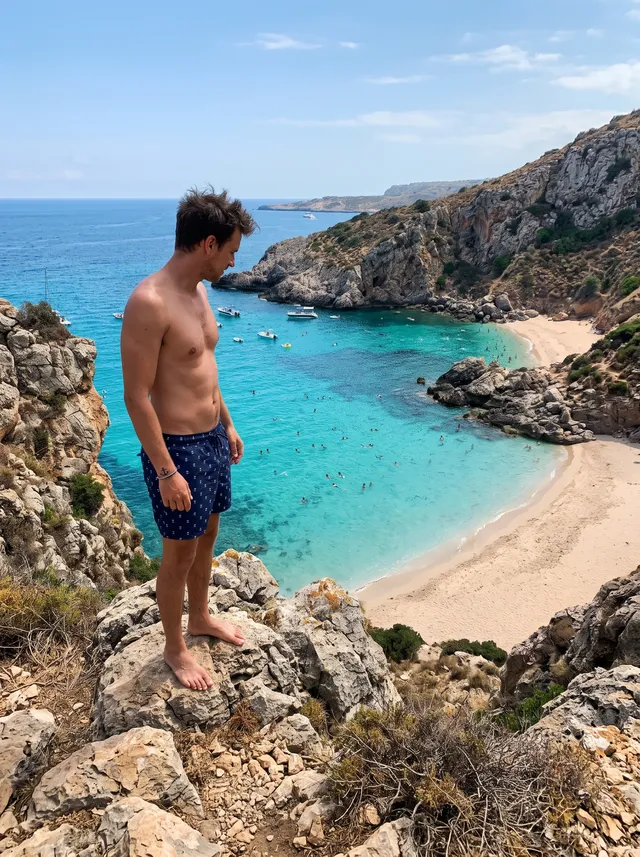
Prompt “all the swimmers and sunbathers on the beach and in the water below him, and their umbrellas and towels”
Add umbrellas, towels, bikes or bags that would look odd left behind.
Removing the swimmers only, so their umbrellas stay on an empty beach.
 OriginalResult4
Ask for empty when you want empty
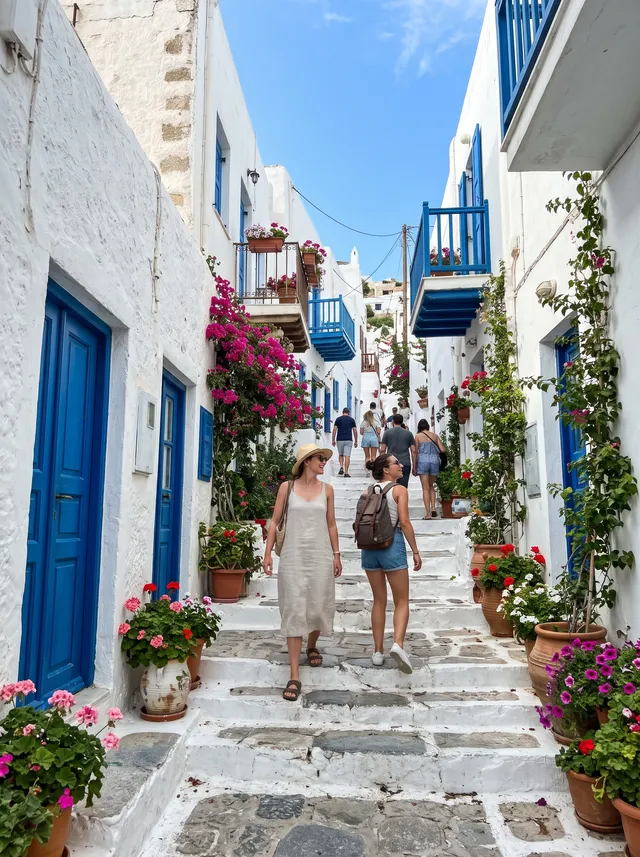
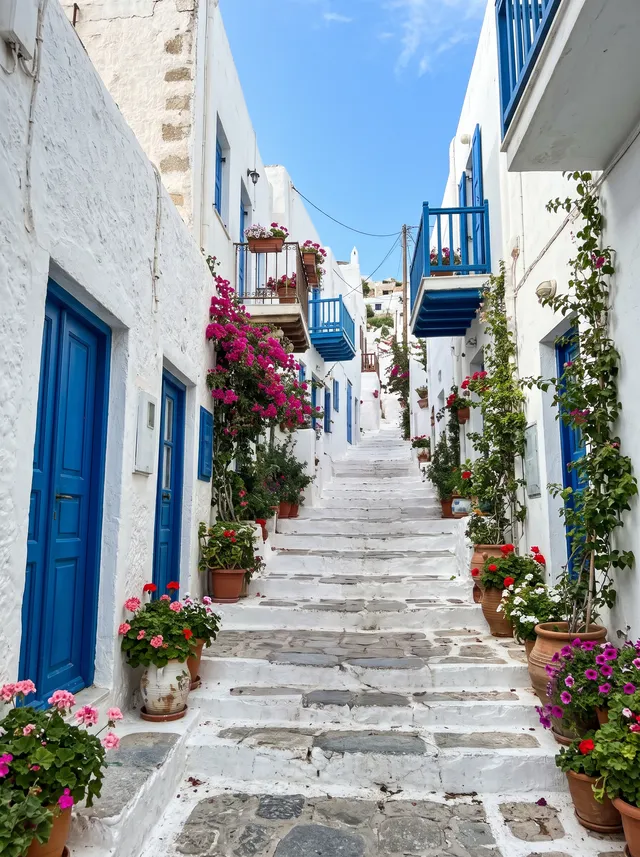
Prompt “every person in the alley, including the two women walking down the steps, so the alley is completely empty”
“Every person in the alley, so it is completely empty.”
In one vaguer run, two people were redrawn instead of removed.
How to remove people from a photo
Three steps in the browser, on a phone or a computer.
- 1
Upload a photo
Any photo from your phone or computer: JPG, PNG, WEBP or HEIC up to 20 MB. Large photos are scaled to 2048 px on the long edge.
- 2
Say who should go
Type who to remove, or tap an idea such as “Everyone in the background”. Leave the box empty to clear everyone behind the main subject. If you would rather point, switch to Brush and paint over them. Each run costs 2 credits and needs a free account.
- 3
Compare and download
Drag the handle to compare with your original. Download, or run it again with more specific words if someone was missed. Failed runs return the credits.
Who removes people from photos, and why
Hover a card to see the original photo.
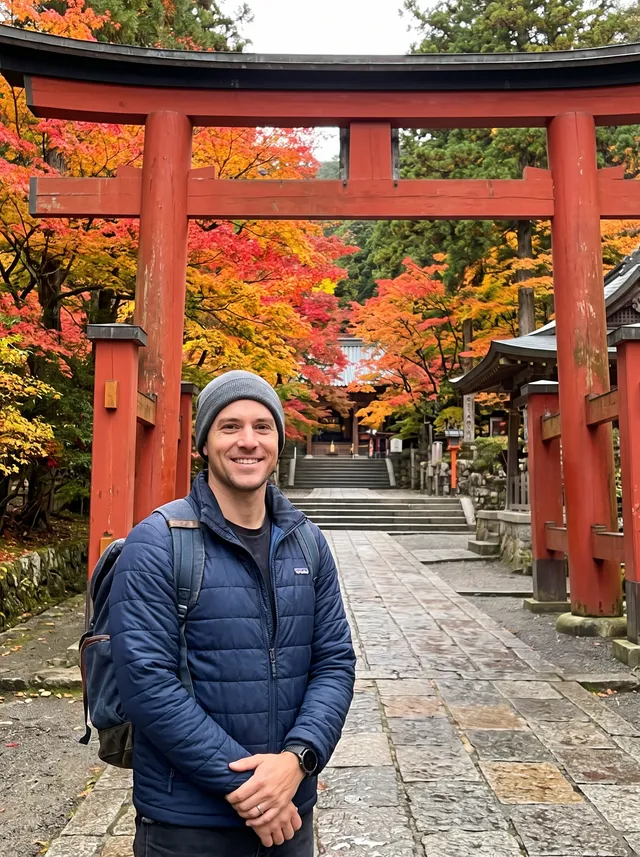
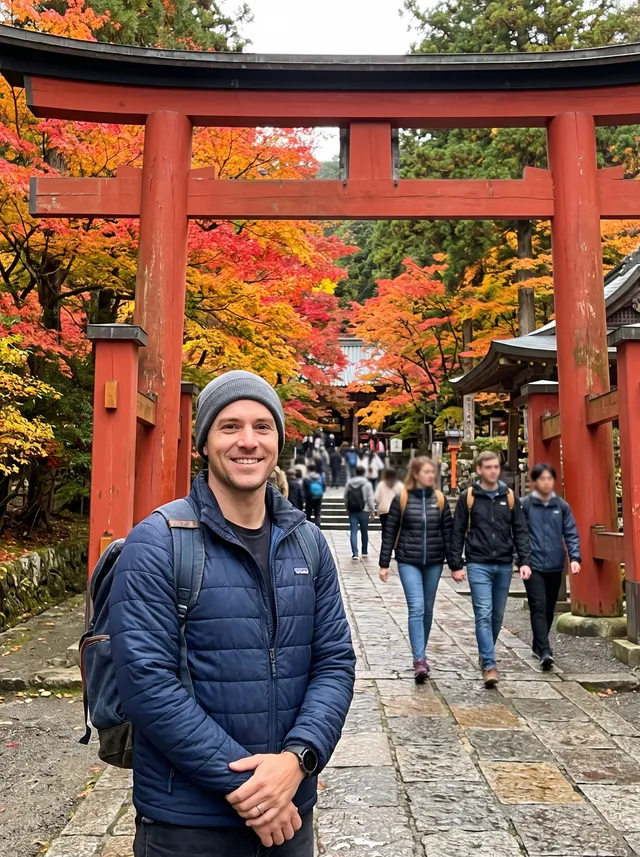 Original
Travel photos
Landmarks are always busy. Keep the gate, the cathedral or the canal and lose the crowd you waited for.
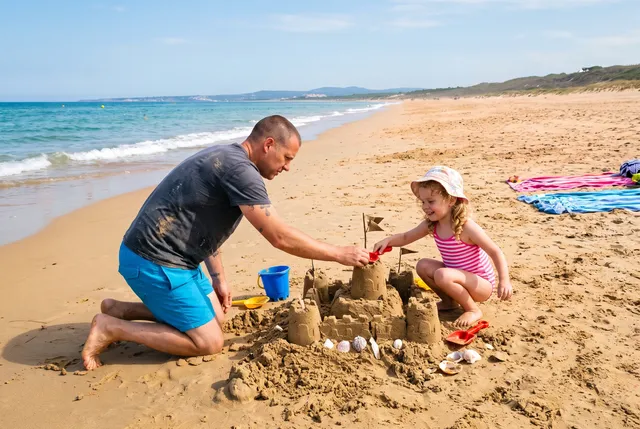
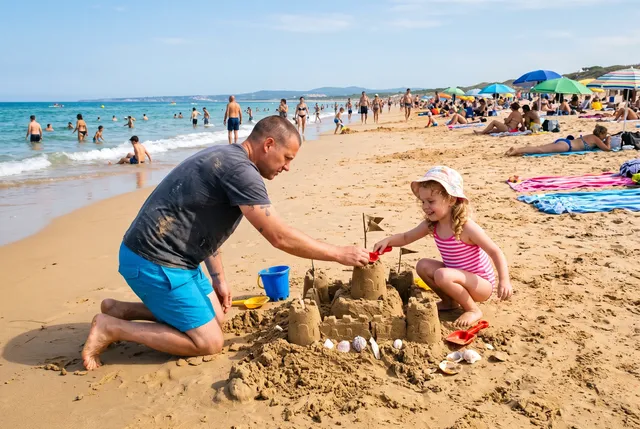 Original
Beach and holiday shots
Clear swimmers, sunbathers and joggers from a family moment on the sand, and keep the sea and the sky.
 Original
Weddings and events
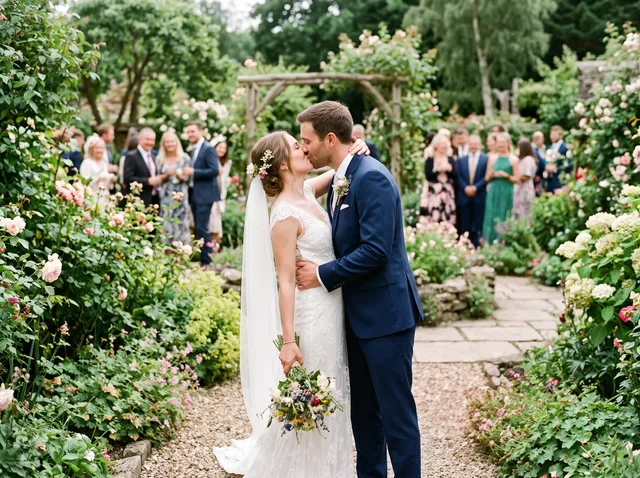
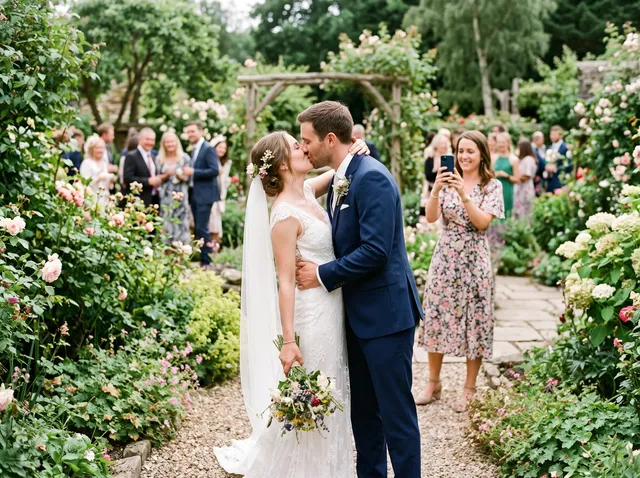
A guest holding up a phone during the kiss, or other families behind a graduate. Remove them from the shots you print.
 Original
Portraits on busy streets
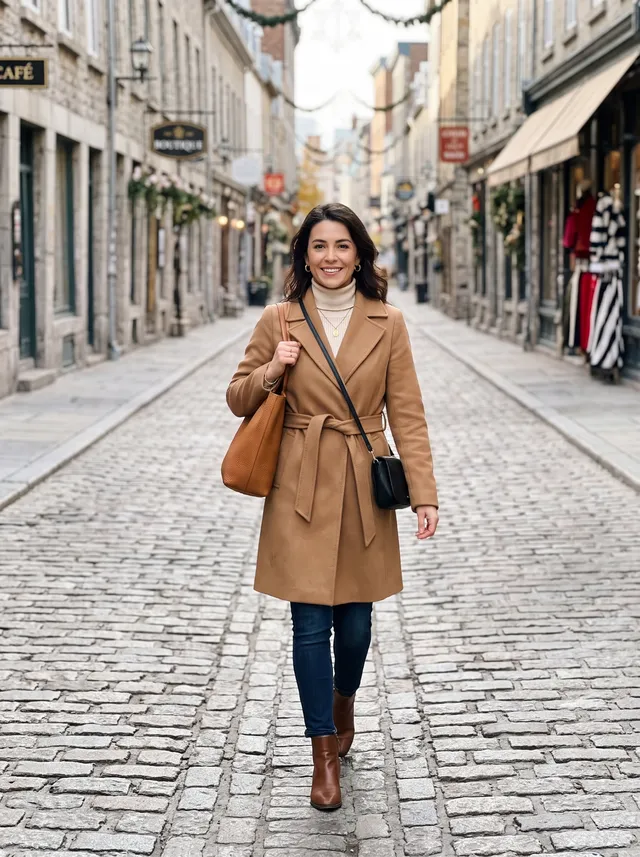
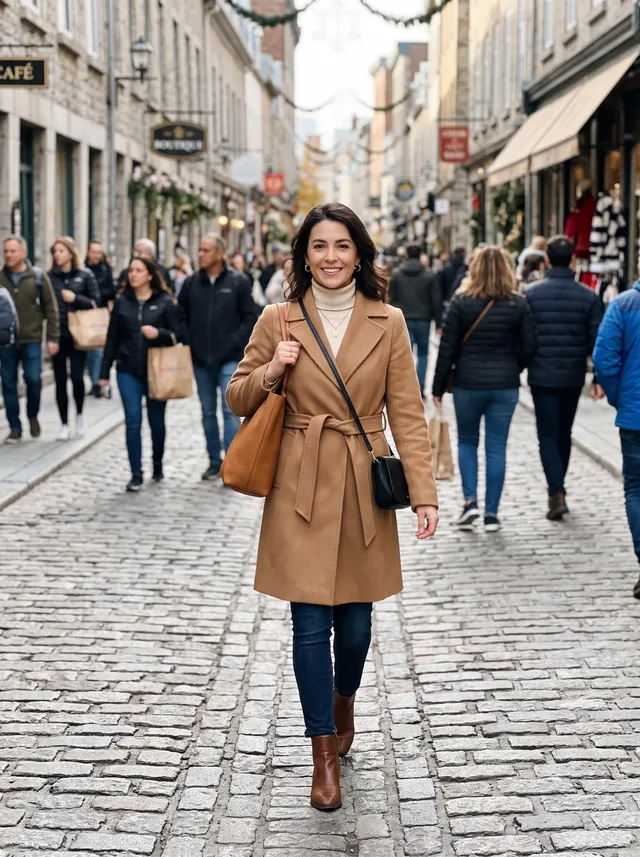
Street portraits and outfit photos look cleaner without shoppers walking through the background.
 Original
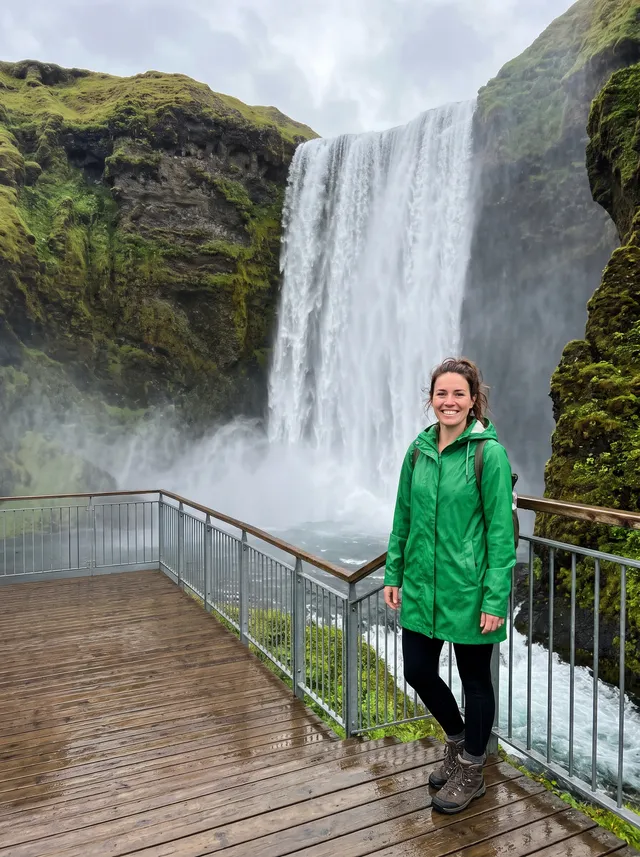
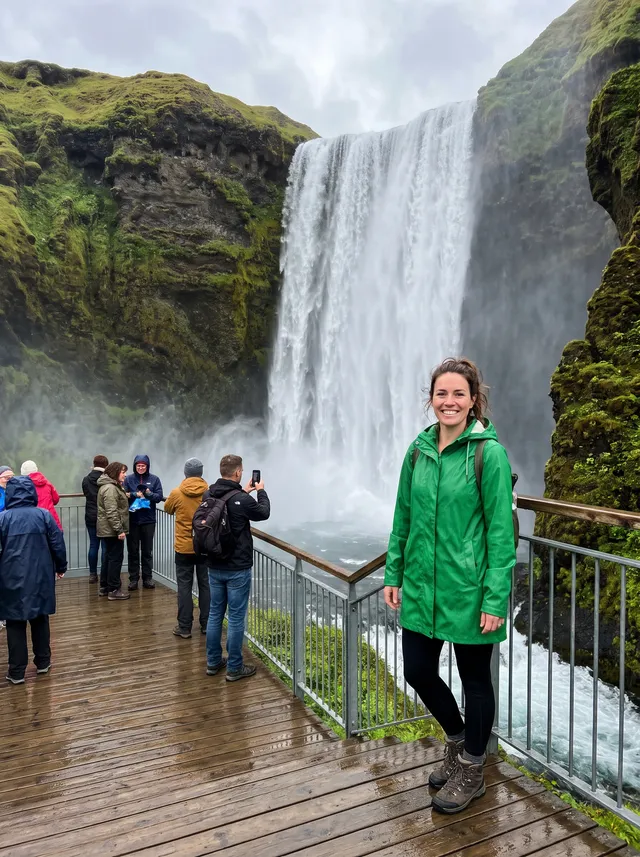
Nature and hiking
Viewpoints, trails and waterfalls are shared spaces. Get the version where you were the only one there.
 Original
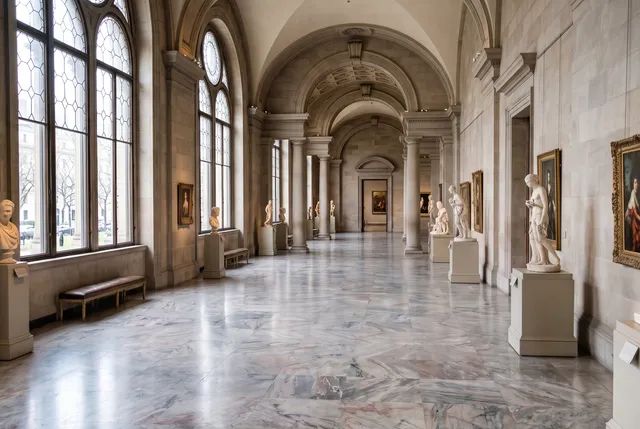
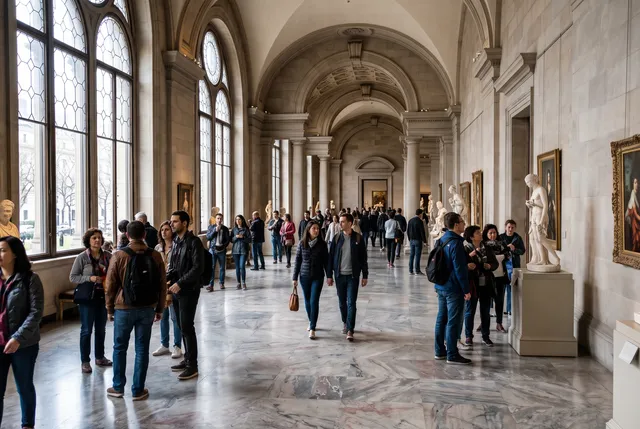
Architecture and interiors
An empty hall, bridge or alley for a background, a mood board or a postcard, from a photo taken at a busy hour.
AI people remover vs the other ways to do it
Type who goes when the crowd is large. Use a brush when you need to point at one person. Wait or retake when the scene must be real.
| Type who goes (this tool) | Brush tools | Retouching in Photoshop | Wait for a gap or come back early | |
|---|---|---|---|---|
| Time per photo | 30–60 s | 1–2 min, painting each person | 15 min to hours | Minutes to a second trip |
| Large crowds | Yes, about twenty people in one run in our tests | Slow; every person painted | Very slow | Often impossible at popular spots |
| Keep one person, remove the rest | Say who stays | Paint around them | Masking by hand | Not applicable |
| Pixels that did not change | Kept from your original | Kept | Kept | New photo |
| Works on a phone | Yes, in the browser | Some apps | Desktop or web app | Yes |
| Cost | 2 credits | Varies | Subscription and skill | Travel and time |
Our column comes from 24 test photos, Oct 2026. Other columns are typical ranges, not measurements.
What it does not do well yet
These came up in our own tests. We show them so you know what to check, and when to run it again.
People outside the description can stay
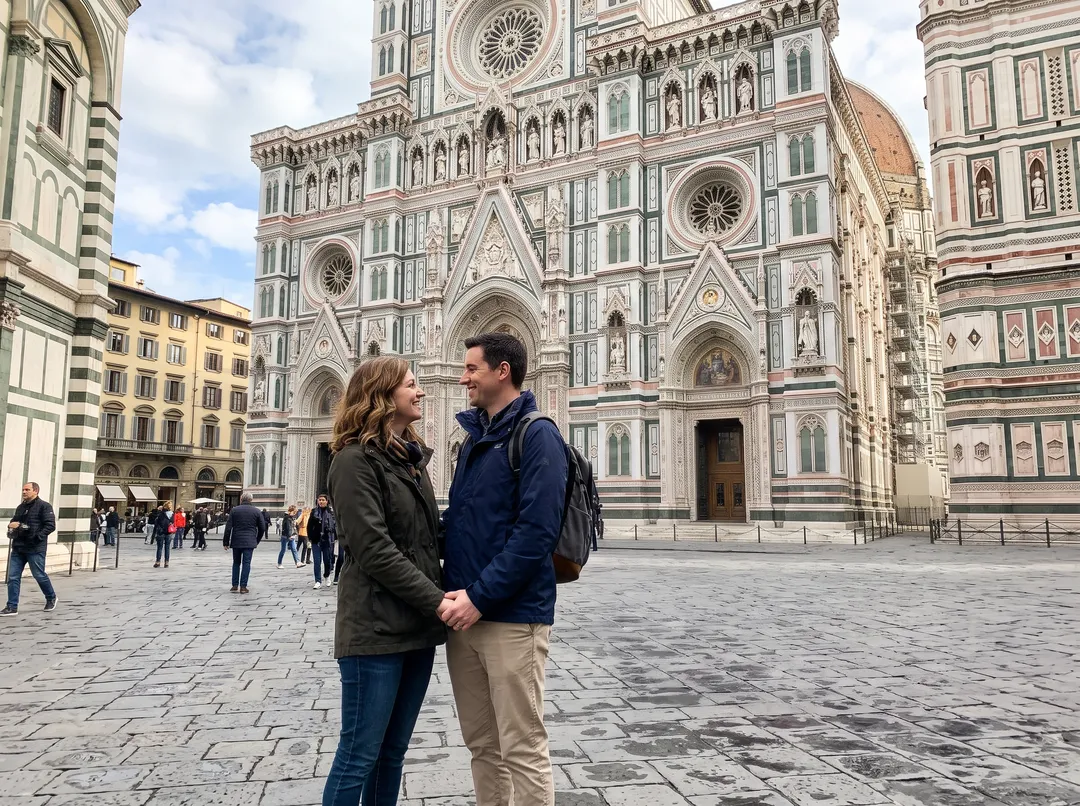
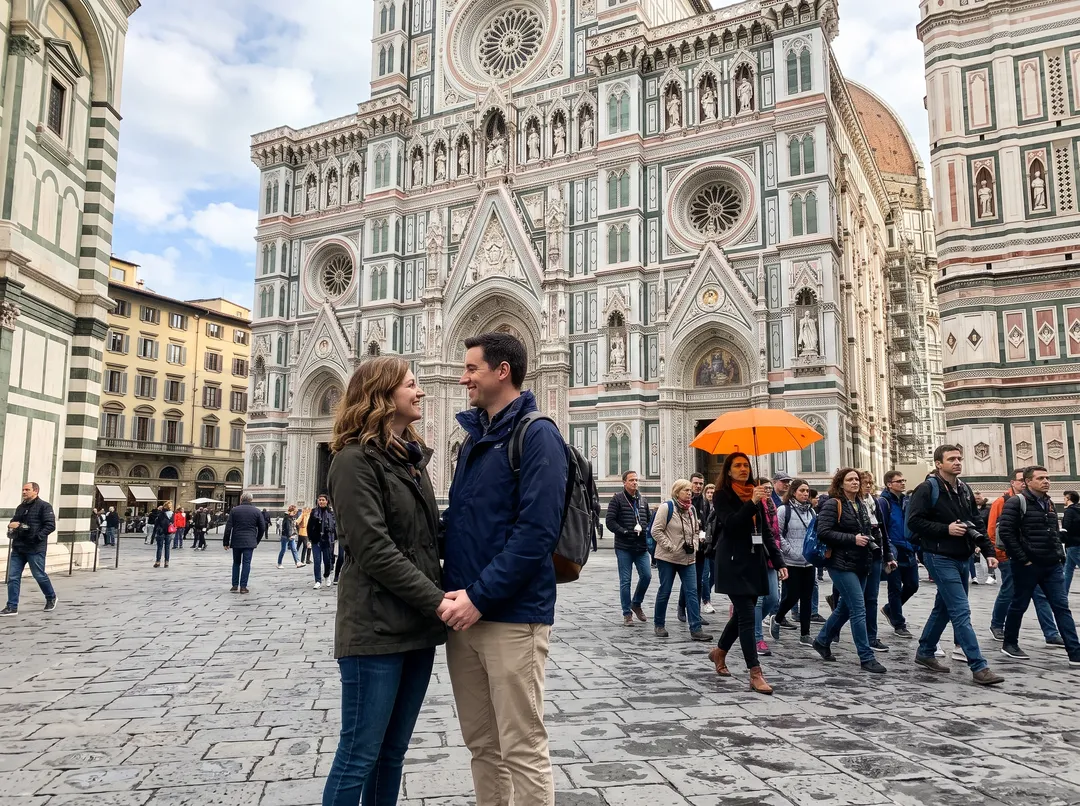
“The tour group and the guide behind the couple” removed the group with the orange umbrella and its guide. The walkers on the left and the small figures by the far buildings stayed: the model read them as passers-by, not part of the group. To clear them too, run it again with “everyone behind the couple”, or brush them.
Left: the original · Right: the result
Kept people can shift
In one early run, the people we asked to keep were redrawn in a slightly different pose. Name exactly who stays, and compare faces before you print.
What was behind them is a guess
The wall, the sand or the reflection where someone stood is generated. It fits the scene, but it is not what was really there.
Vague words leave people behind
“The people” can mean different things. In a busy scene, say where each person is or ask for the scene to be empty.
Not for documents or evidence
Do not use it to change what a photo records, such as who attended an event, or to remove people from news or legal images.
Output size: the same as your upload, up to 2048 px on the long edge. For print, run the result through Image Upscaler.
Pay per result, keep your files
Say it, don’t paint it
Type who goes and a crowd of twenty is one sentence. Switch to the brush when you would rather point.
The rest stays original
The result is blended into your photo, so pixels the edit did not change keep their original values.
Credits back if it fails
If a run fails, the 2 credits return to your balance automatically.
Packs never expire
100 credits for $9.99, about 50 photos, with no monthly plan.
No watermark
Results download without a watermark, at the size of your upload.
Photos deleted in 30 days
Uploads and results on free accounts are deleted after 30 days. We do not train on your photos.
Every example on this page was made with this tool
Photos were generated as everyday phone shots, then run through this exact people remover with the words shown. No retouching. Hover to see the original.
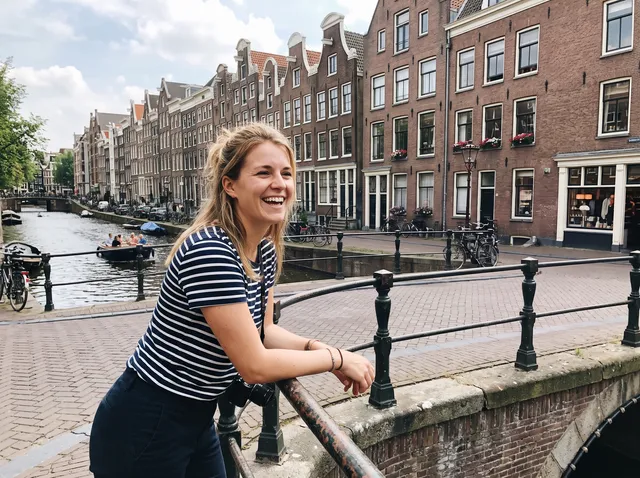
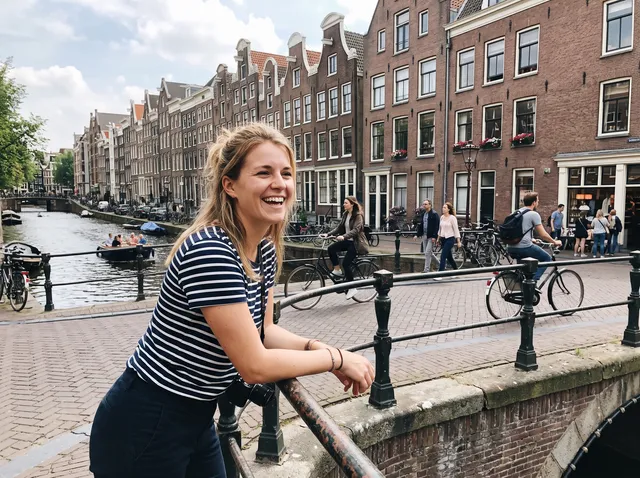
Removed: Cyclists and walkers
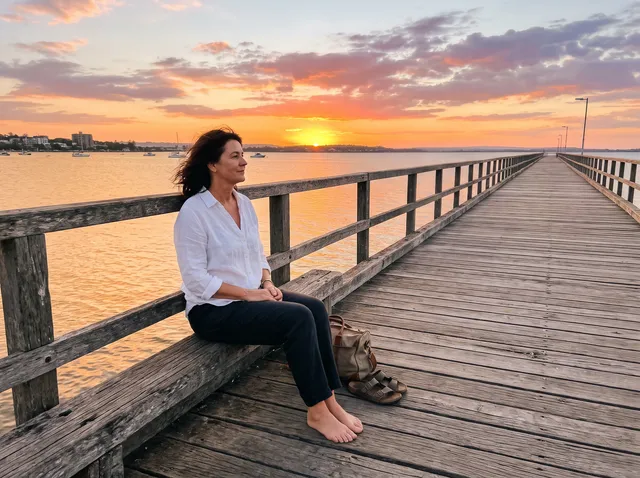
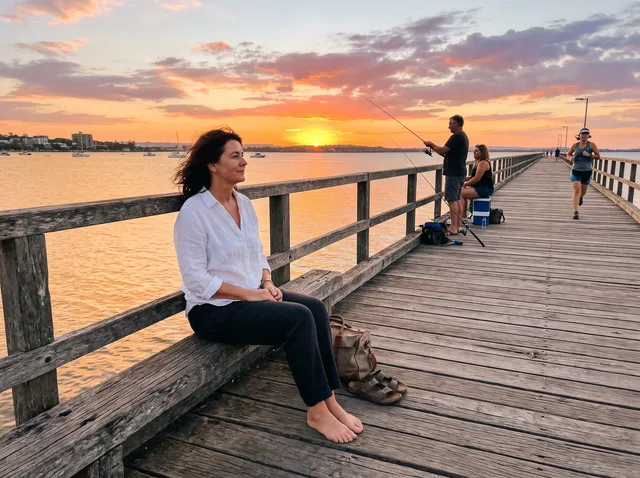
Removed: Two people fishing and a jogger
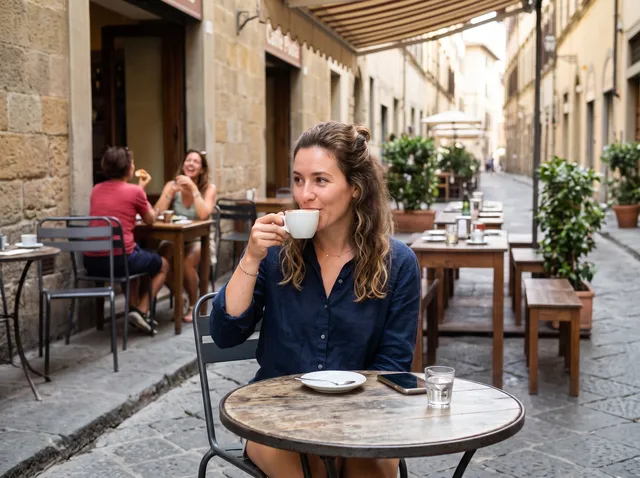
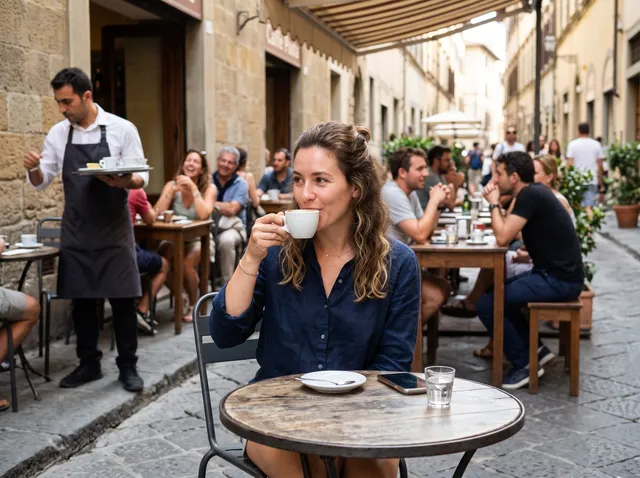
Removed: A waiter and several customers


Removed: Other graduates and families


Removed: A man bending over a cooler
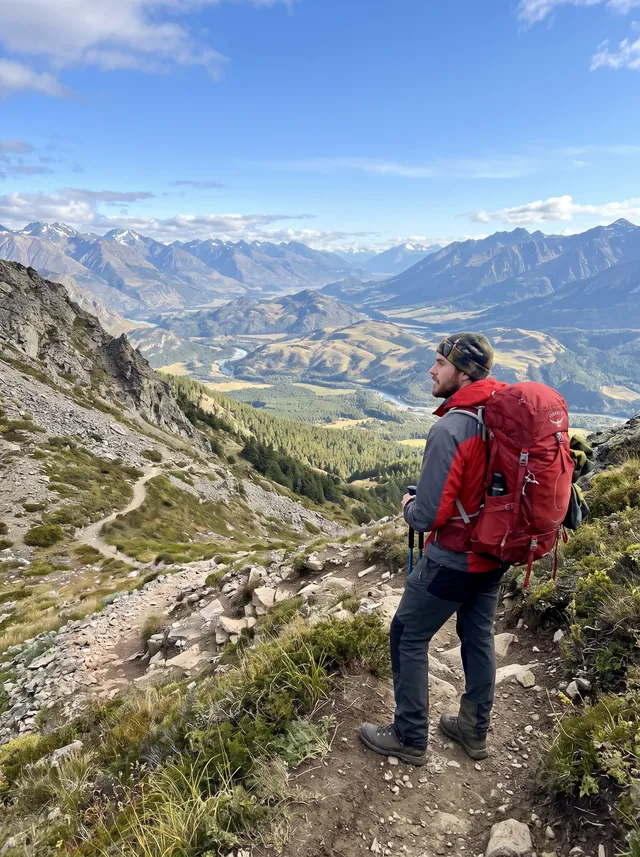
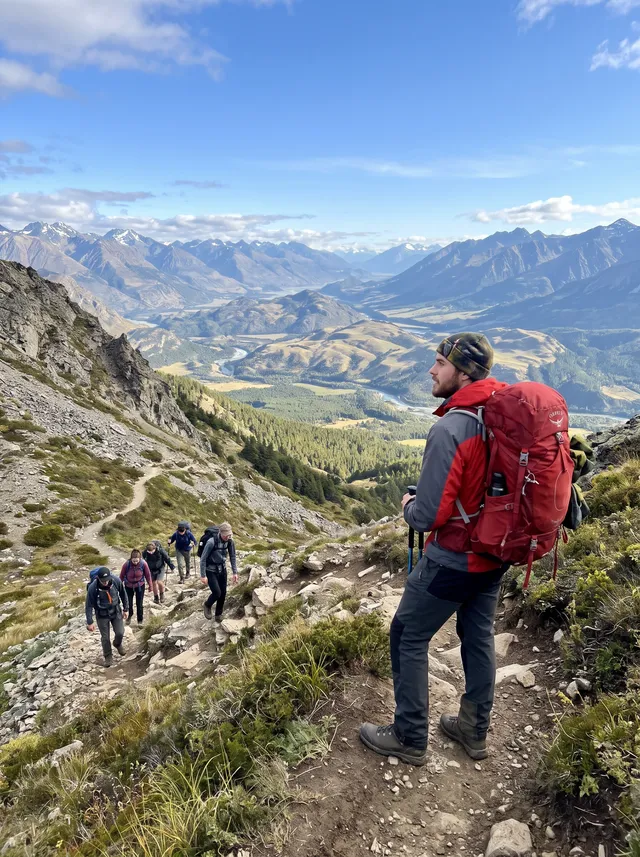
Removed: A line of other hikers
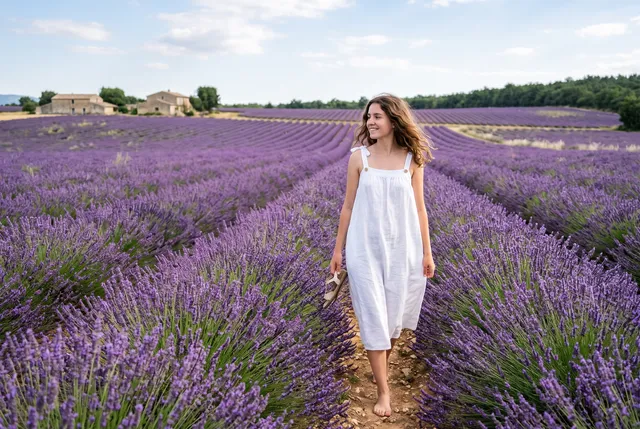
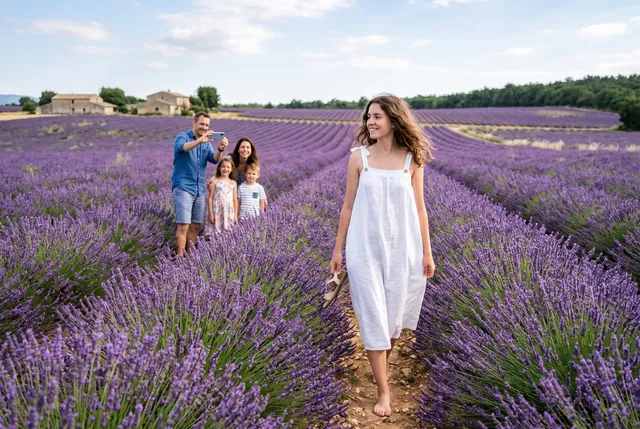
Removed: A family taking photos
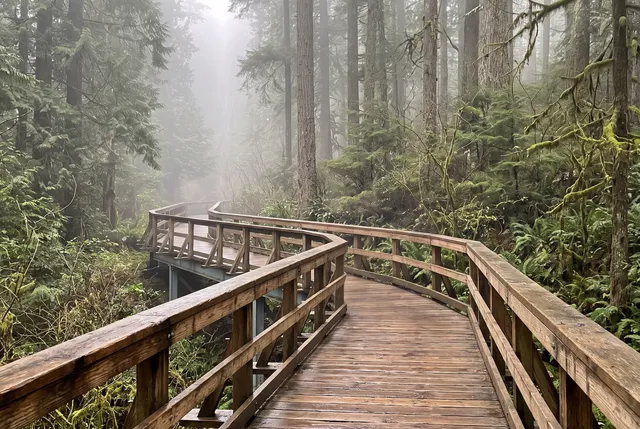
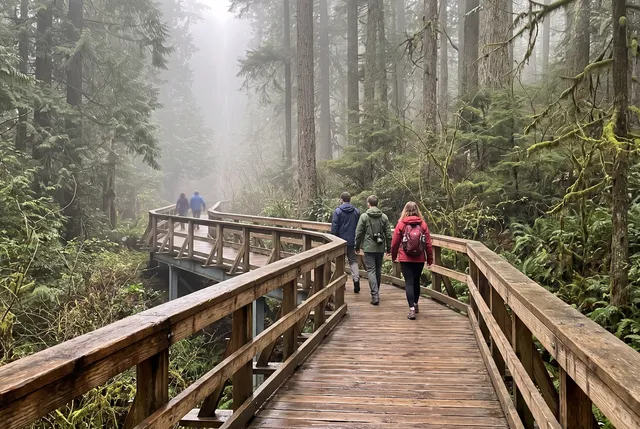
Removed: Everyone on the bridge
24 photos · Nano Banana 2 + blend into the original · 2 credits each
Remove people from photo FAQ
Something else? Email support@theaiphotoeditor.com

Get the photo without the crowd
Sign up for 10 free credits, enough for 5 photos. Credits back if it fails.
or drop a file anywhere on this page
Updated Oct 2026 · Tested on 24 photos in 6 categories