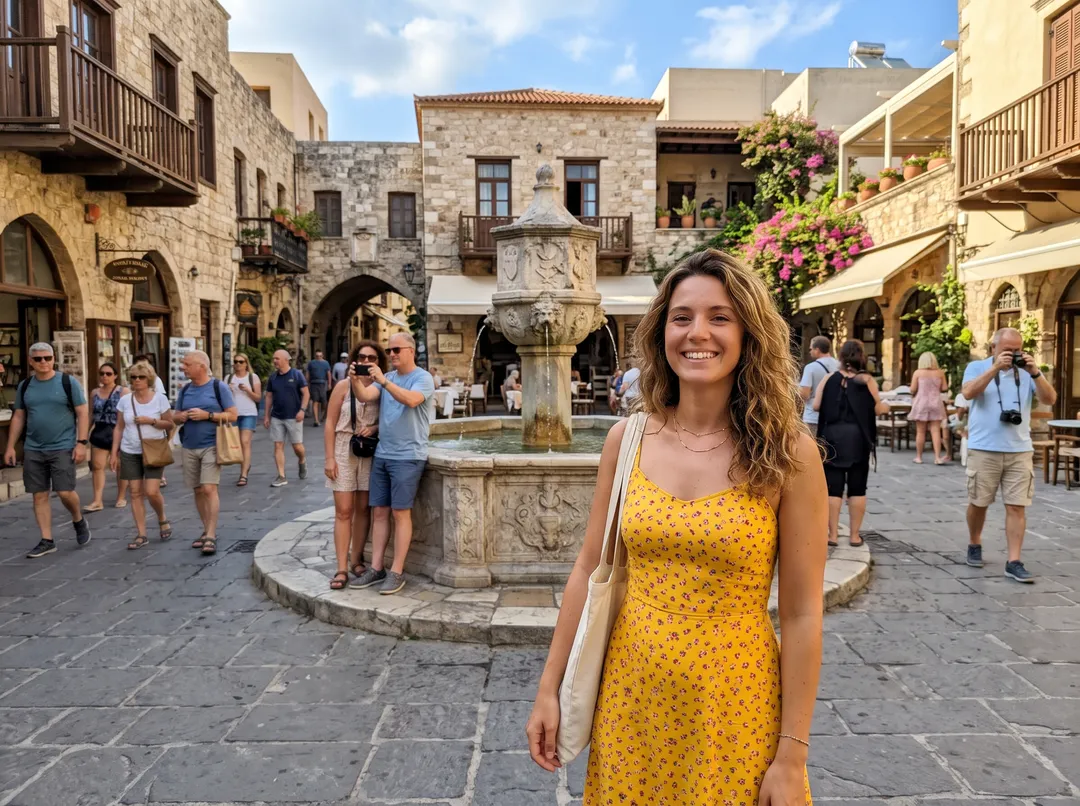
Remove people from a photo in four steps
These steps work for any tool, free or paid. The details below are for this site.
Start from the original photo
Use the full-size photo from your camera roll, not a screenshot or a copy sent through a chat app. Those are smaller and compressed, so the filled-in area looks softer than the rest.
Mark who should go
Brush over each person, or describe them. In Remove People from Photo you can type “the tourists behind her” or “everyone except the man in the black hoodie”, or switch to Brush and paint over them. Leave the box empty to clear everyone behind the main subject.
Run it
Each run takes 30 to 60 seconds and costs 2 credits. You need a free account; it starts with 10 credits and no card. If a run fails, the credits come back.
Check the edges and download
Drag the handle to compare. Look where each person stood: shadows, reflections, feet on the ground and repeating patterns such as tiles or railings. If someone was missed, run it again and name them. Download without a watermark.
Real photos, before and after
Each pair is the photo that went in and the unedited result, with the words that were typed. Drag the handle to compare.
 BeforeAfter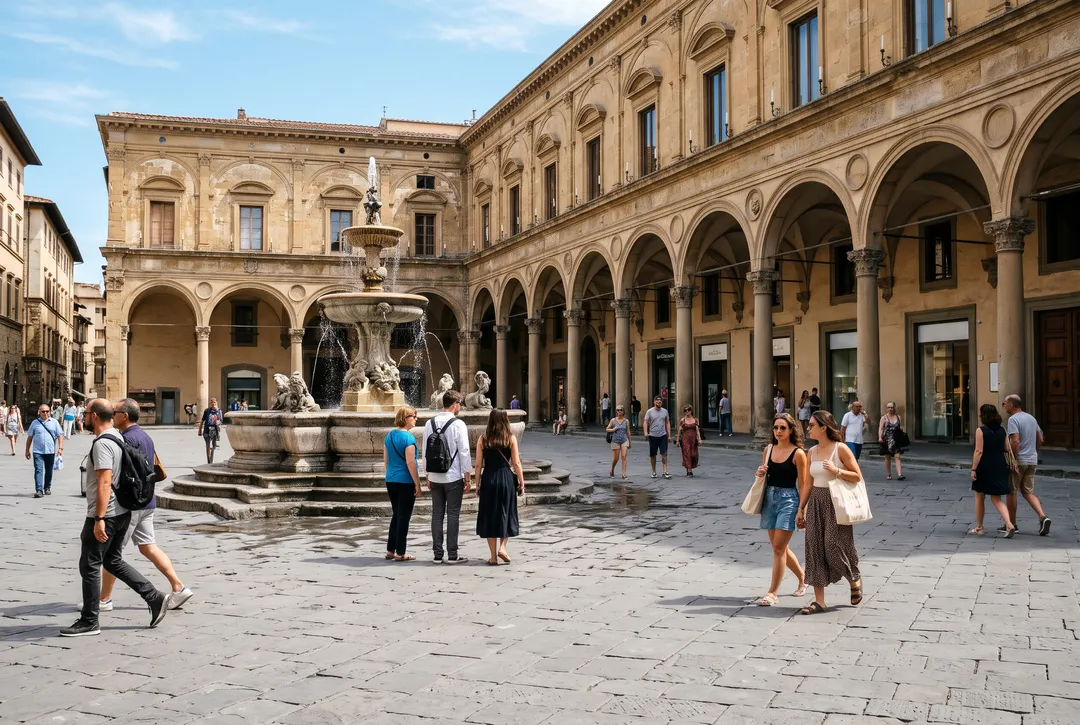
“everyone, leaving the plaza empty”: about twenty people and their shadows removed. The fountain and arcades are kept. 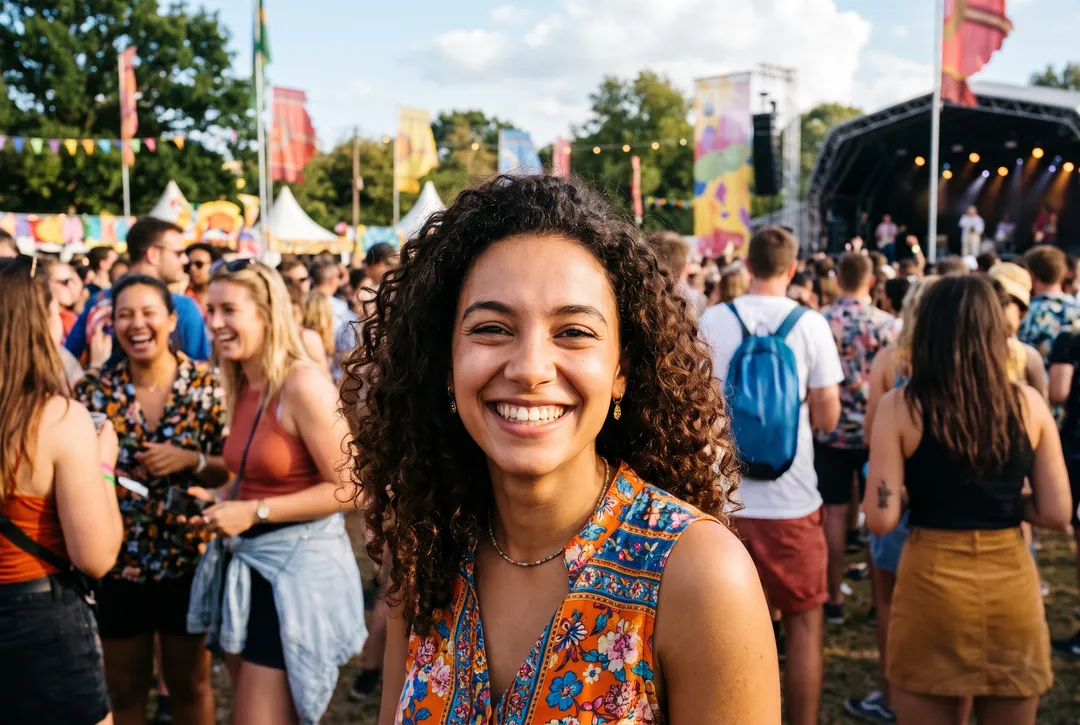 BeforeAfter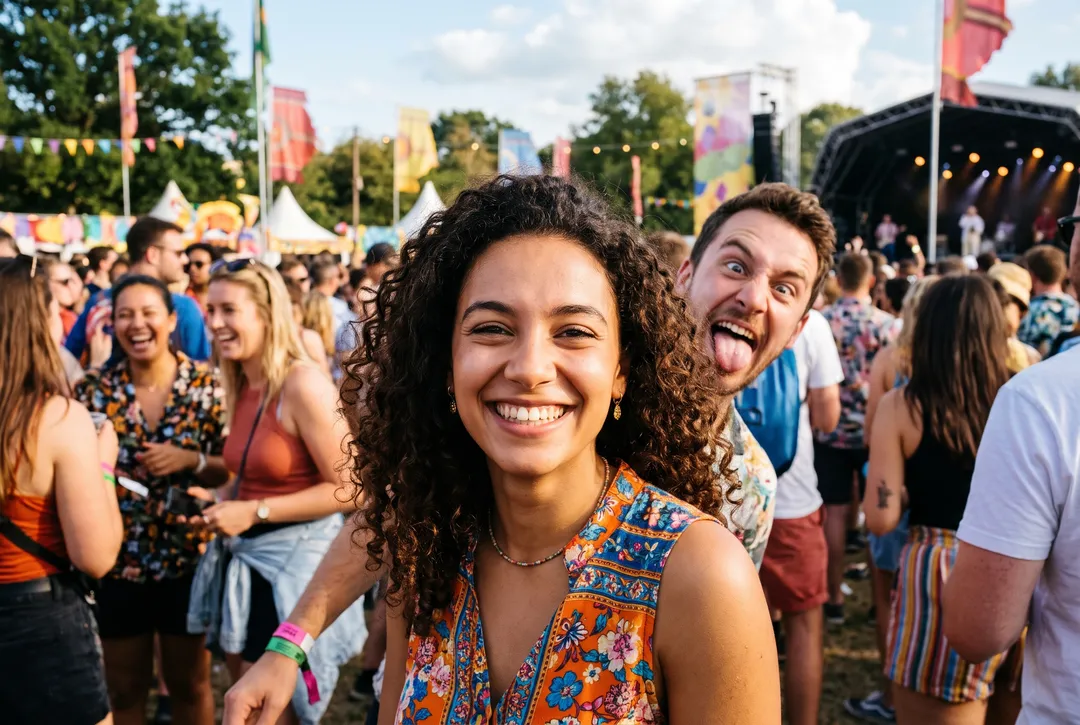
“the stranger making a face behind her”: the photobomber at her shoulder is gone and the festival crowd further back stays. 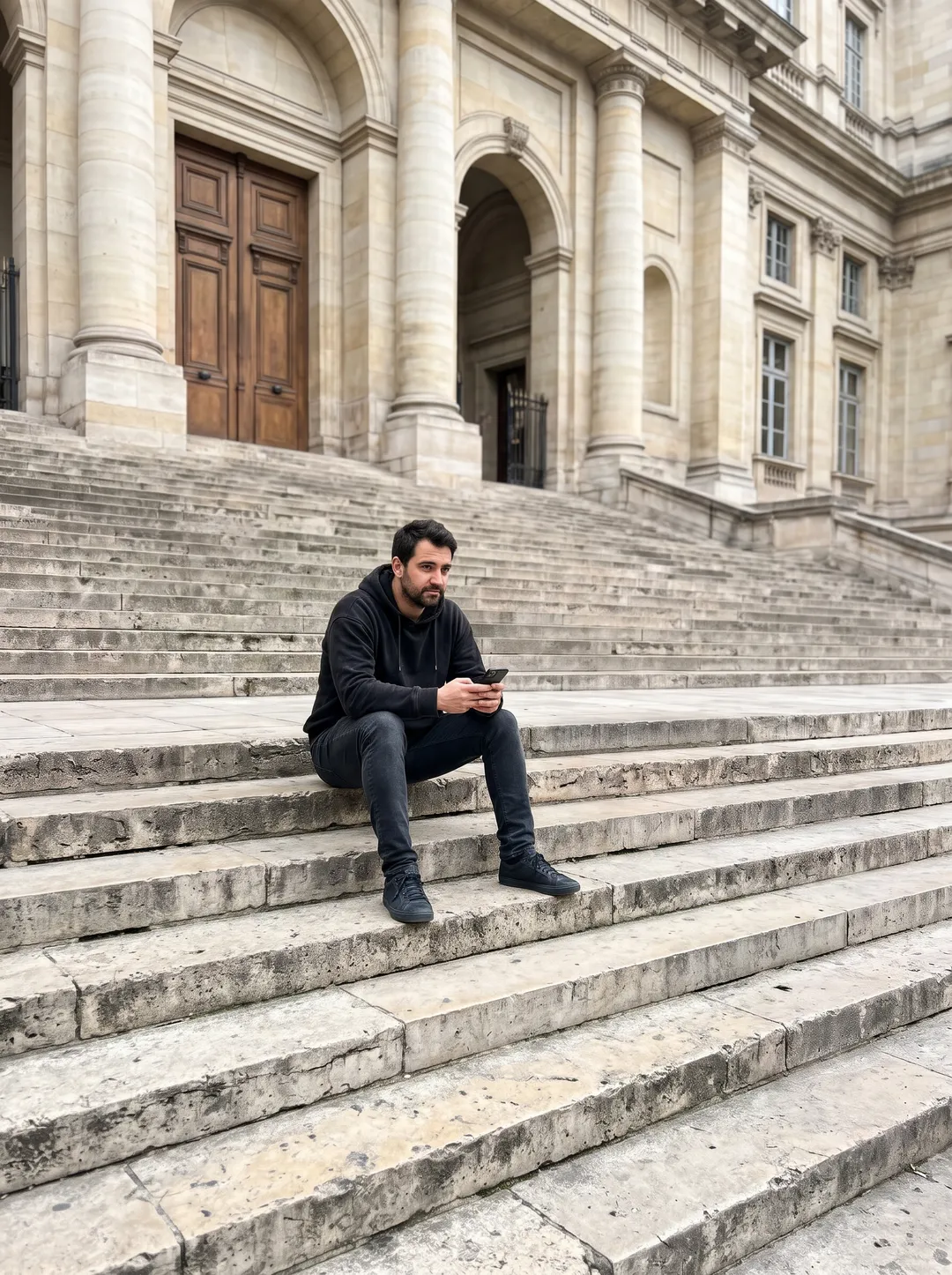 BeforeAfter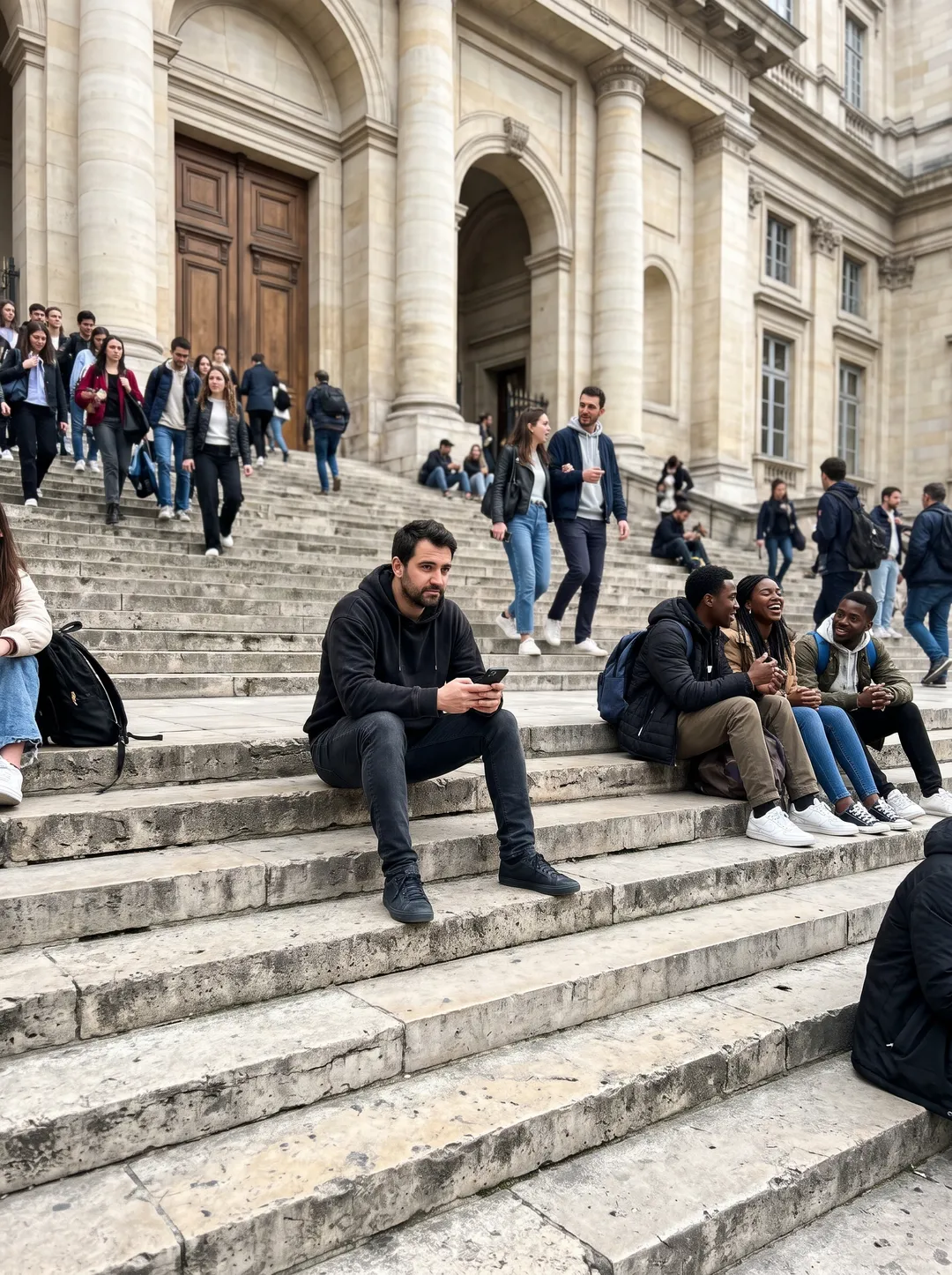
“everyone on the steps except the man in the black hoodie”: more than twenty people removed and he stays where he sat. 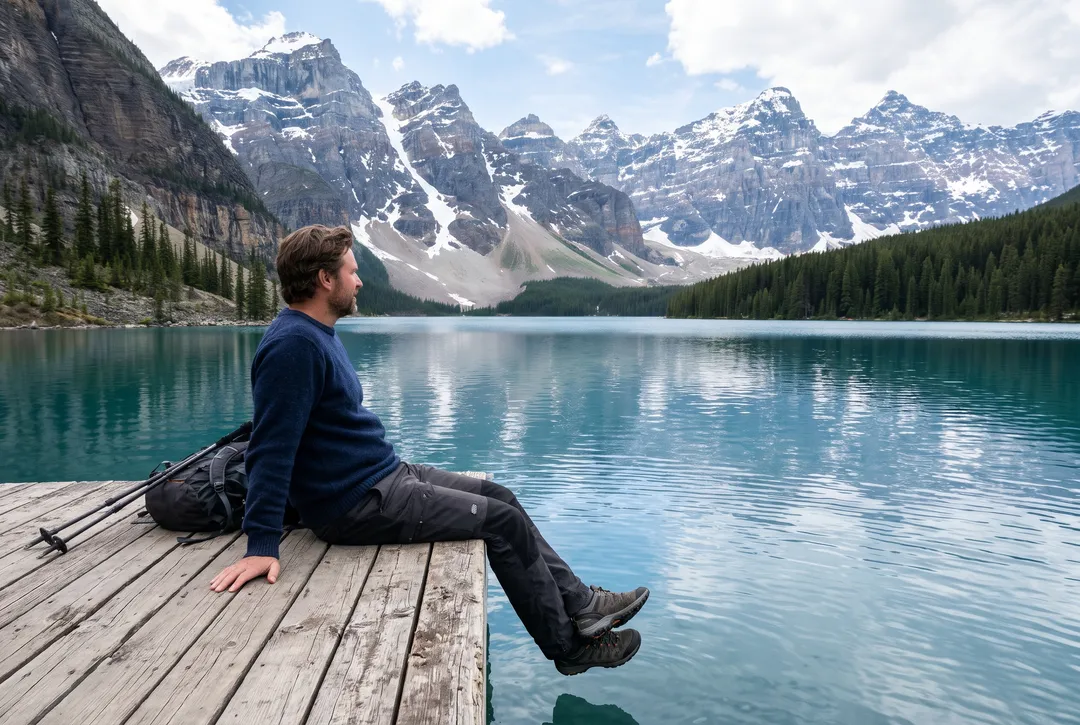 BeforeAfter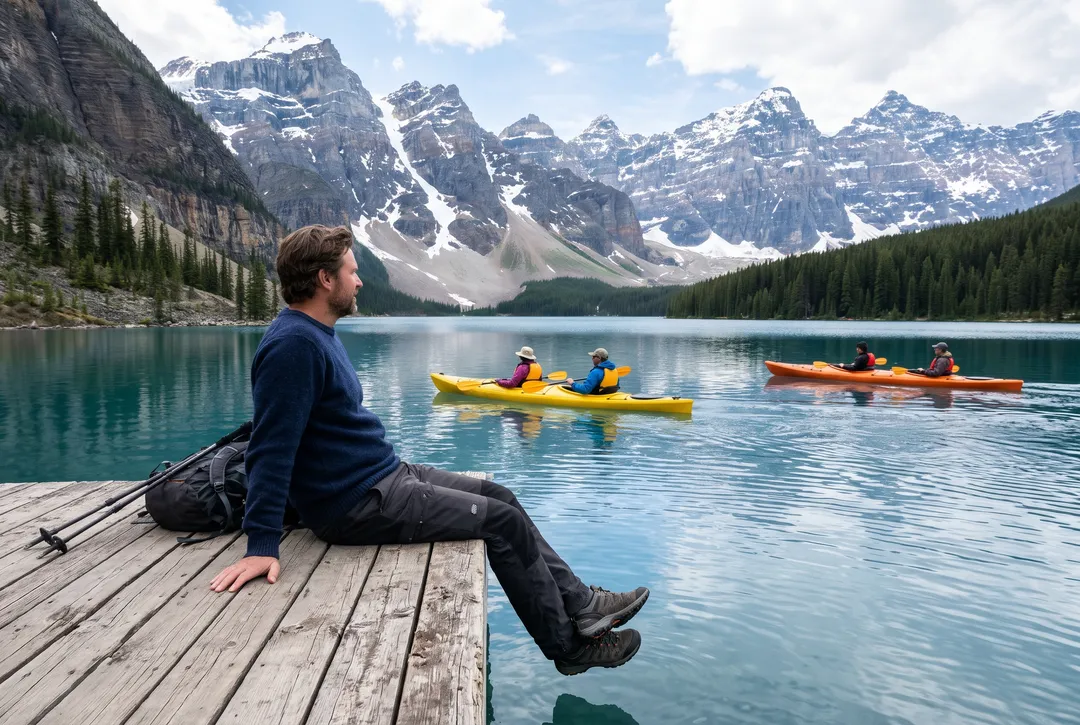
“the people in the kayaks”: two kayaks removed and the mountain reflection redrawn across the water where they were.
Free ways to remove people, and where this site fits
Third-party details as of October 2026, from Apple's, Google's and OpenAI's help pages.
| iPhone Clean Up | Google Photos Magic Eraser | ChatGPT or Gemini | This site | |
|---|---|---|---|---|
| Cost | Built into the Photos app | Free since April 2024 | Free tier; neither company publishes a daily number | 2 credits a photo; 10 free credits at sign-up |
| What you need | iPhone 15 Pro, 15 Pro Max or iPhone 16 and later, with Apple Intelligence; not available in mainland China | iPhone with iOS 18 or later and 3 GB of RAM, or Android 8.0 or later; a personal Google Account | The app or website; Gemini photo editing requires age 18 or over | Any browser and a free account |
| How you pick people | Tap, brush or circle them | Tap, brush or circle them | Describe the edit; ChatGPT also lets you select an area | Type who goes, or brush |
| The rest of the photo | Fills in the area you mark | Fills in the area you mark | A generative edit, so other parts can change too | Unchanged pixels keep their original values |
| Best for | One or two people, on a recent iPhone | One or two people, on any recent phone | Quick edits when you already use them | Crowds, or keeping one person and clearing the rest |
Third-party columns describe what their help pages say, not our measurements. Features and limits can change.
Which route to use for your photo
| Your photo | What to do |
|---|---|
| One stranger in the background | Any free tool. Brush them, shadow included. |
| A photobomber right behind you | Brush or name them. A large person close to the camera leaves a big area to fill, so check the edge of your hair and shoulders. |
| A crowd of ten or twenty people | Type who goes, such as “everyone in the background”. Brushing each person takes much longer. |
| Keep one person, remove everyone else | Type who stays, such as “everyone except the man in the black hoodie”. |
| People on water or a beach | Include reflections, wakes and belongings such as towels and umbrellas. |
| An empty street or landmark | Ask for it, such as “everyone, leaving the plaza empty”. |
How to brush a person so the fill looks clean
Cover the whole person
Paint a little past the outline, including hair, fingers, bags and the gap between the legs. A thin line of the old outline left behind looks like a ghost.
Include the shadow
A shadow with nobody casting it is the first thing people notice. Brush it in the same pass, right to its tip.
Include the reflection
On water, wet sand, glass or polished floors, brush the reflection as well, or the person is still there upside down.
Include what belongs to them
Bikes, strollers, umbrellas, towels and dogs on a lead look odd left behind. Brush them, or name them when you type.
Work in passes on a crowd
With a brush tool, remove a few people at a time and check each result. On this site, typing who goes clears a crowd in one run.
What removing people cannot do
- What was behind them is a guess. The wall, sand or water where someone stood is generated to fit the scene. It is not what was really there.
- People outside your words can stay. In one of our runs, “the tour group and the guide behind the couple” left the passers-by on the left side of the square, who did not look like part of the group. Run it again with “everyone behind the couple”, or brush them.
- Kept people can shift slightly. Compare faces and hands before you print.
- Not for documents or evidence. Do not use it to change who was at an event, or on news or legal photos.
- Output is the size of your upload, up to 2048 px on the long edge. For a large print, run the result through the Image Upscaler.
Questions about removing people from photos
Yes. Clean Up on a recent iPhone and Magic Eraser in Google Photos cost nothing, and ChatGPT and Gemini have free tiers. On this site a free account gets 10 credits with no card, enough for 5 photos. After that, packs start at $9.99 for 100 credits that never expire.
On iPhone 15 Pro or newer, open the photo, tap Edit and use Clean Up. On older iPhones, Google Photos has Magic Eraser. The full steps, including what to do in mainland China, are in how to remove people from photos on iPhone.
Type when there are many people or they are spread across the photo. Brush when you want to point at one person, or when the words keep picking the wrong one. On this site both cost 2 credits.
Yes, by describing the edit. It is a generative edit, so other parts of the photo can change as well. See can ChatGPT remove someone from a photo for prompts and a comparison with Gemini.
The shadow or reflection was not part of what you marked. Brush it in, or add “and their shadows” or “and their reflections” to the words, and run it again.
Uploads are never used to train models. On free accounts, photos and results are deleted after 30 days, and you can delete any of them yourself.
Last checked Oct 24, 2026 First published. Third-party features checked against Apple's, Google's and OpenAI's help pages, October 2026.