
Change a background in four steps
Works in a browser on a phone or a computer. You need a free account; nothing to install.
Upload the photo
Open Change Photo Background and upload a JPG, PNG, WEBP or HEIC up to 20 MB. A photo where the subject is clear works best: one person, a pet, a product or a car.
Describe the new background
Type the scene in up to 400 characters, or tap a preset such as Clean studio white, Beach at sunset or Modern office. Describe only the background; the subject is kept for you.
Choose Match lighting
Leave Match lighting on and the light, color and shadows on the subject follow the new scene. Turn it off when the subject must keep its original exposure, as in a product catalog.
Run it and download
Press Change background. A run takes 30 to 60 seconds and costs 4 credits; if it fails, the credits go back. Results download without a watermark.
Background prompts to copy
Each of these produced one of the example results on the tool page. Paste one and change the place, the time of day or the color.
- Headshot
Plain light gray studio backdrop for a professional headshot
- Product on a counter
White marble kitchen counter in soft morning window light
- Product in a studio
Soft beige studio with a long shadow
- Pet outdoors
Park path covered in autumn leaves
- Portrait at golden hour
City rooftop at golden hour, softly blurred skyline
Free routes to try first
For a plain color or white, cut out instead. The Background Remover works without an account 3 times a day. After the cutout, white or any color is free. You get an exact color, which a model cannot promise. See how to remove a background for free.
For a new scene, Gemini's free plan can edit photos by prompt. As of October 2026, Google's pages say the free plan uses Nano Banana 2, downloads are 1K without a paid plan, images carry a visible AI watermark plus an invisible SynthID mark, and editing photos requires age 18 or older. Google publishes no daily limit and says limits may change. Sources: Gemini image overview and Gemini help.
When to use this tool instead: when you want a download without a visible watermark, and Match lighting to relight the subject for the new scene. Results are 1K on the free credits and 2K after any purchase.
New backgrounds on real photos
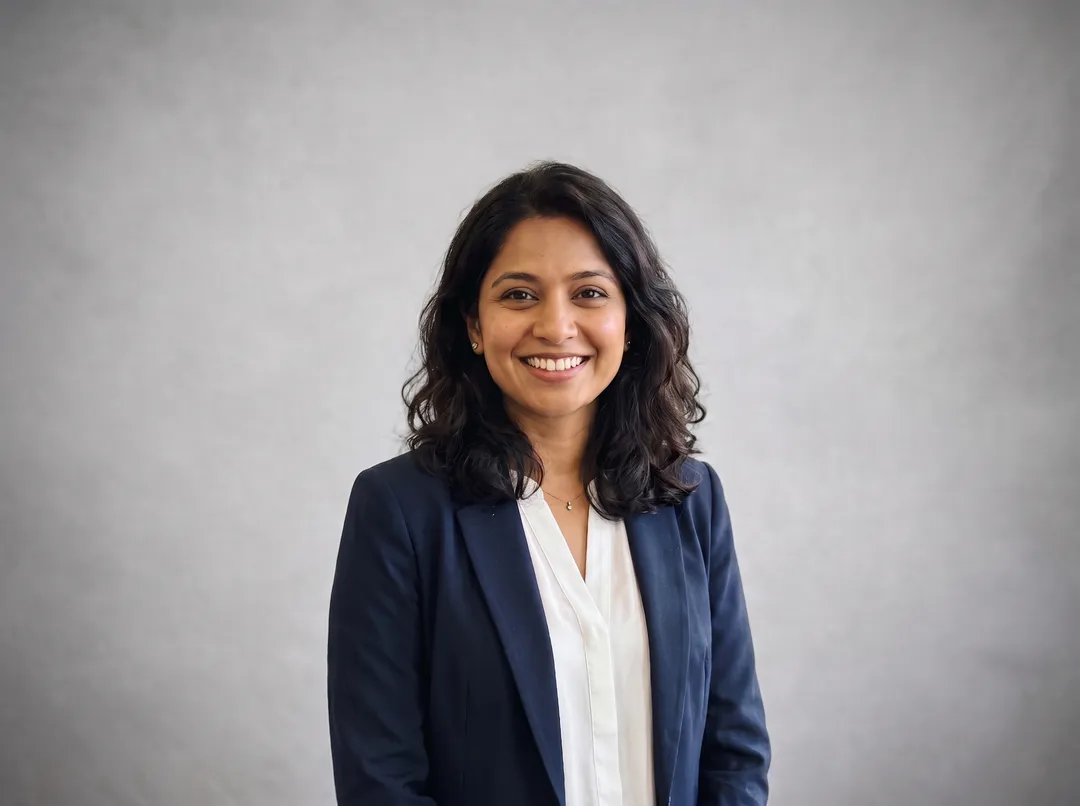
Each pair is a real photo and the unedited result, Match lighting on. Drag the handle to compare.
 BeforeAfter
A woman in a navy blazer, moved from a busy open-plan office to a plain light gray backdrop. Face, hair and blazer are unchanged.  BeforeAfter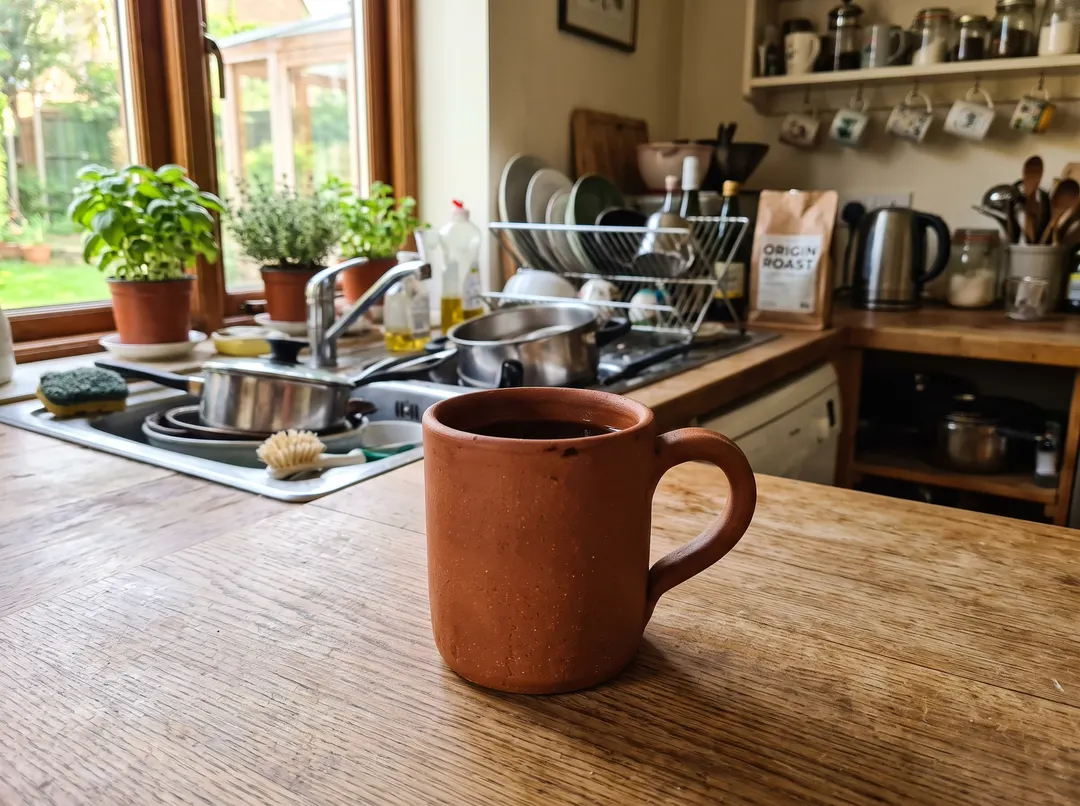
A terracotta mug, moved from a cluttered kitchen counter to a soft beige studio. The window light came from the left, and the new long shadow falls to the right, as it should.  BeforeAfter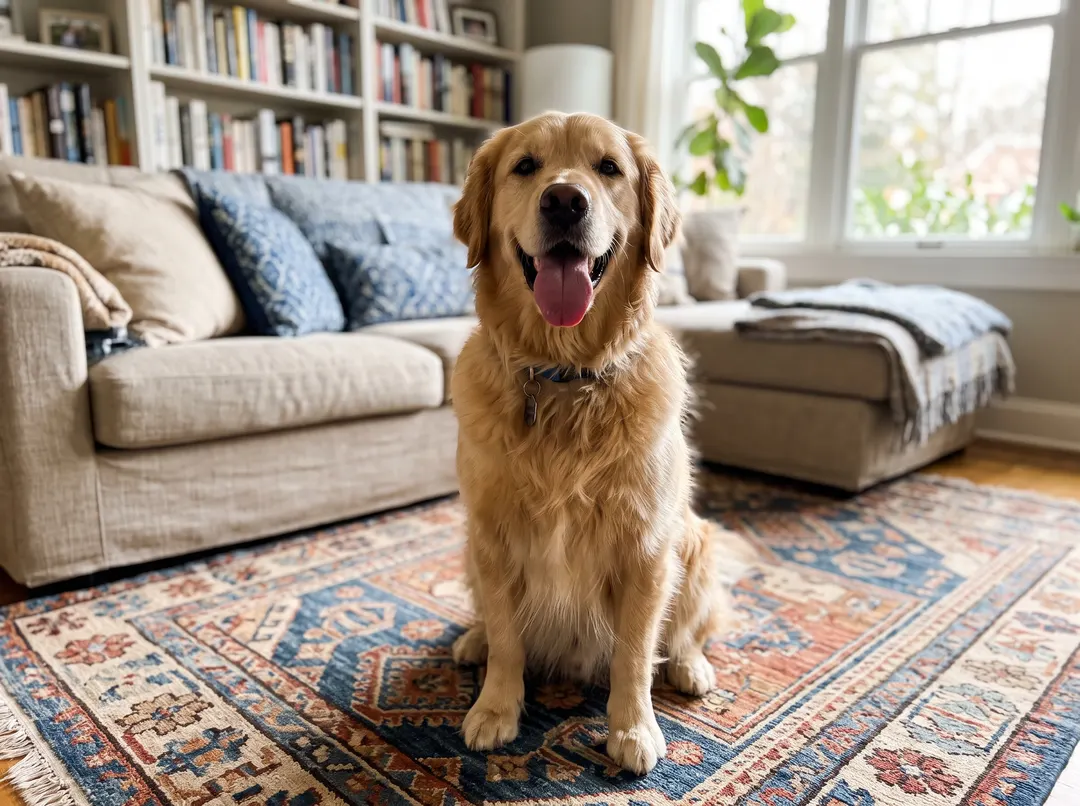
A golden retriever, moved from a living-room rug to a park path covered in autumn leaves. Fur, collar and pose stay as shot, and the dog sits on the leaves. 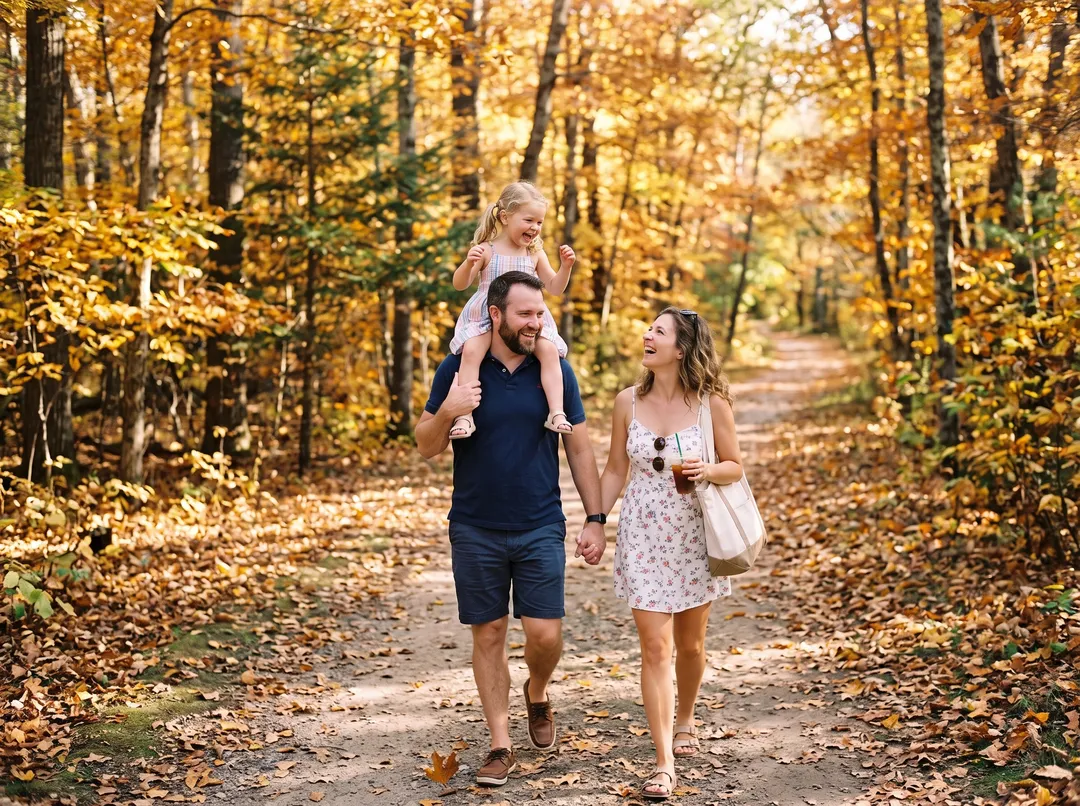 BeforeAfter
A family on a seaside boardwalk, moved to a forest path in autumn. The people are kept, but the framing changed; the family is smaller and shown full length.
Light and shadows decide whether it looks real
Match the light direction
Look at where the light hits your subject and pick a scene that could light it the same way. A face lit from the left looks pasted in front of a sunset straight ahead.
Name the light and the time of day
Words like soft morning window light, golden hour or overcast give the model a light source to match. Without them it guesses.
Keep Match lighting on for scenes, off for catalogs
With it on, the subject is relit and gets new shadows. With it off, the subject keeps its original exposure, which is what a catalog of matching shots needs.
Say how sharp the background should be
Softly blurred or bokeh reads like a real portrait lens. A sharp, detailed scene right behind a sharp subject is harder to make believable.
Describe the background only
Do not describe the subject or ask for changes to it. The tool already tells the model to keep it; extra words about it can make it drift.
Check the contact shadow
A mug or a dog needs a shadow where it touches the ground. If it looks like it floats, add a surface to the prompt, such as a wooden table or a stone floor, and run again.
Which prompt and setting for which photo
Prompts are from the example results on the tool page.
| Use case | Prompt to try | Match lighting | What to watch |
|---|---|---|---|
| Headshot or profile photo | Plain light gray studio backdrop for a professional headshot | On | For an exact color code, cut out with the Background Remover and fill the color |
| Product on a scene | White marble kitchen counter in soft morning window light | On for lifestyle shots, off for a catalog set | Small text on the product can change; check labels before you publish |
| Pet | Park path covered in autumn leaves | On | Ask for a surface the pet can sit or stand on |
| Travel or family photo | Beach at sunset with gentle waves | On | With several people the framing can shift; compare before you share |
| Marketplace listing on white | Use the Background Remover instead | Not needed | 1 credit and exact |
What changing a background cannot do
- Things around the subject are often kept. In a burger photo on the tool page, the whole table, the drinks and the people at it counted as the subject, so only the far wall changed. Crop close first, or clear them with Remove Object from Photo.
- Text on the subject can disappear. The model removed a car's number plate. For a listing that must show the plate, use the Background Remover.
- The subject is redrawn, not pasted. It is kept as shot, but the pixels are generated again. For an exact copy of the subject, cut it out instead.
- Framing can shift. In the family example the people came out smaller and full length. Run again if the crop matters.
- Output is 1K on free credits and 2K after any purchase, in your photo's aspect ratio. For print, run the result through the Image Upscaler.
- You cannot upload your own background image yet, and there are no free runs without an account.
Questions about changing photo backgrounds
4 credits a change. A free account starts with 10 credits with no card, enough for 2 changes. Packs start at $9.99 for 100 credits that never expire. Failed runs are refunded.
For a plain color, yes. The Background Remover runs 3 times a day without an account, and any color after the cutout is free. For a new scene, Gemini's free plan can edit by prompt, with a visible AI watermark and 1K downloads as of October 2026.
The tool tells the model to keep the subject exactly as it is, and faces, clothing and product shapes stayed the same in the examples. Small text, such as a number plate, can be removed. If something drifts, run it again.
Yes. The prompt is free text up to 400 characters. Describe the place, the light and how blurred it should be.
Not yet. Remove the background with the Background Remover, then combine the PNG with your image in any editor.
About 1K on the long edge on free credits and 2K after any purchase, without a watermark. Use the Image Upscaler for larger prints.
Last checked Oct 24, 2026 First published. Gemini free-plan details checked against Google's own help and overview pages, October 2026.